There is something special about submitting the last assignment of the course – on the one hand, you are excited for the winter break; on the other hand, you realize that you will miss the classes that have taught you so much and the people who you shared that learning experience with.
Today, I am excited to present my summary of learningto you. Please enjoy the short video below and let me know what you think!
The tools and apps I utilized to create my summary of learning:
Instadoodle – an app I used to make doodle-like videos;
Microsoft Clipchamp – a video app I used to glue separate video snippets together and set up background music;
Vidma Recorder – an app that I recorded snippets of my screen for the clips where I talk on camera;
Openart AI – a website where I generated some of the images in the video;
Embedded voice recorder app on my phone – to record my voiceover of the doodle video clips.
The equipmentthat helped me create the video:
laptop
phone
ring light (to record the snippets where I talk on camera)
I would like to express my sincere gratitude to Dr Katia and to each of my Educational Technology classmates for your invaluable contribution to my knowledge.
Fascinating and intimidating at the same time, Artificial Intelligence (AI) is rapidly occupying all spheres of our life. Should we be scared that in several decades educators will be completely replaced by AI, or shall we embrace this new technological advancement and make it our virtual teacher assistant?
How I Am Currently Using Generative AI at Work and in Other Areas of My Life
I will be honest with you – I am also quite scared of the pace AI is developing at. The fact that I have read quite a lot of sci-fi doesn’t make it easier However, I do realize that opposing to change will not stop the change from happening – on the contrary, such a mentality may set me back comparing to other educators and create obstacles for my future career. That is why I try to bravely face my AI-related fears and make the new technology my friend and helper, not my enemy.
Here are some AI features I am already trying out at work:
Tweeis a great AI tool for ESL instructors. It allows me to create unique level-appropriate teaching materials for my students. For example, I sometimes find an interesting YouTube video for my students and use Twee to generate comprehension questions to it. I also use Twee to create simple texts which include certain vocabulary we are learning. What I love most about Twee is that you are able to select the level or the age of your students, which can be extremely relevant if you teach lower Canadian Language Benchmarks (CLB) levels.
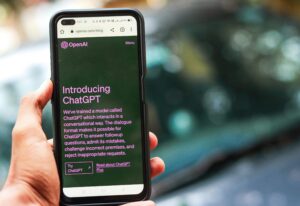
I am also actively utilizing ChatGPTin my lesson preparation. For instance, I have recently generated a dialogue transcript for a listening assignment, adjusted the text provided to me by AI, and then recorded it with together with another person. The greatest benefit of ChatGPT for me is that I am able to meticulously tailor the AI’s response by adding further requests to my initial one, and, as a result, I end up with a material that is very close to the way I imagined it from the start.
I have also tried out RoshiAI tool that assists ESL instructors in lesson planning. One feature of Roshi that I have explored is voicing a transcribed text to create a listening assignment for language learners. Nevertheless, I did not end up resorting to Roshi on a regular basis as at the moment when I was using it, it was impossible to adjust the speed of the recording, and I felt it was a little too fast for my students to understand properly.
I have also been interacting with AI quite in my everyday life:
Even though I am an English teacher, I never stop learning the language. I like experimenting with advanced grammar structures, but I am not always sure enough if I use them right. That is why I often ask ChatGPTto check if a certain sentence I want to say is grammatically accurate. So far, I have answered several grammar-related questions that I had wondered about for years! At the same time, I have noticed ChatGPT makes mistakes as well (for example, once it called “young” a noun when it was clearly an adjective in the given sentence), so I make sure to take AI’s suggestions with a pinch of salt.
I studied some German in Ukraine, and as I don’t want to lose my skills, I constantly look for opportunities to practise this beautiful language. So, I decided to chat with Meta AI– an AI chat embedded in WhatsApp. However, our conversation with Meta didn’t last long – I found its responses too long, artificial and unnatural, so I quickly became disinterested in communicating with it.
What Are the Advantages and Disadvantages of AI?
Advantages
Disadvantages
Based on the presentation and readings
· According to our amazing presenters Mitch, Gerry, and Ryan, the advantages of AI include accessibility, instant feedback and grading, personalized learning and enhanced teaching materials.
· Brendan Clugston (2024) states that AI is able to make learning more personalized by customizing educational content to meet each student’s needs and to increase learners’ motivation and engagement. AI will also enable immersive learning experiences, such as virtual reality (VR) and augmented reality (AR). Furthermore, AI can contribute to making education more affordable by automating administrative duties and offering scalable learning solutions. Overall, incorporating AI into education can elevate academic standards and increase the quality of learning (Clugston, 2024).
· Cole Stryker and Eda Kavlakoglu (2024) extend the list of AI’s advantages by adding that it will enhance decision-making and reduce the number of human mistakes and physical risks.
· Mitch, Gerry, and Ryan believe that AI may cause privacy issues. It can also make humans rely too much on technology and focus less on building emotional connections. Moreover, just like most technologies, AI may foster a digital divide among the population, making users who have access to AI more privileged than the ones who don’t.
· Brendan Clugston (2024) assumes that that AI will raise privacy concerns, as well as increase the risk of academic dishonesty. Clugston (2024) also highlights the possibility of teachers being replaced by AI in the future.
· Cole Stryker and Eda Kavlakoglu (2024) are concerned that there will be individuals who would try to compromise AI models. In addition, AI, like any digital tool or software, has a risk of system failures.
My own opinion
· AI can definitely save teachers’ prepping time. Before, it took me hours to create an original assignment, but now AI can generate at least some parts of it for me.
· As a result, I am able to prepare a larger number of unique up-to-date tasks for my students.
· Overreliance on AI may negatively impact our creativity as educators. No matter how convenient AI is, we have to at least modify the results it produces for us to customize our assignments to the needs of our students.
· Knowing that our students also have access to AI tools, we have to be extra alert when checking their homework and writing. We as teachers should also think of ways in which assignments can be personalized and difficult for AI to generate. But, unfortunately, AI keeps developing and getting “smarter” day by day, so our chances to “trick” it are getting lower and lower!
What Is the Future of AI?
Several weeks ago, I attended an online Alberta Teachers of English as a Second Language (ATESL) conference, and a lot of sessions there were devoted to AI. I listened to one of them, and I found the presenter’s suggestion to use AI for lesson preparation very helpful. I have recently had a chat with a colleague of mine who was present at another teaching conference, and they were also impressed by how much attention was paid there to AI. Seeing the leading educators actively encouraging other instructors to use AI shows that soon AI will go hand-in-hand with learning and become an integral part of our lesson planning. Let’s just hope that AI won’t take over our jobs any time soon!
PS Speaking of teachers losing their jobs to AI, I really liked the thoughts that Hadar, a YouTube content creator and a pronunciation and fluency coach, shared in the following video. If you have a moment, I would highly recommend to take a quick look at it – it may actually even make you feel more optimistic about the future of AI!
Coding and makerspaces can definitely be a great addition to teaching STEM subjects. However, as an ESL/EAL instructor, there are very few ways for me to integrate coding and makerspaces into my lessons. Maybe I can’t support this blog post with many examples from my own teaching experience, but I would be glad to discuss the obstacles that are preventing me from using these technological advancements, and I will focus specifically on makerspaces.
That was the question I asked myself at the beginning of Ayodele and Chinazam’s comprehensive presentation. I was extremely excited to learn about the area of education that was fairly new to me. According to Michael Puckett (2021), the maker movement enables students to “create, ideate, invent and experiment while having fun learning through creative expression and technology” (Puckett, 2021). Maker’s spaces provide learners with an opportunity to access various equipment and tools, such as green rooms, digital cameras, and virtual reality devices, to explore, create, and collaborate. Makerspaces also support the principles of inclusion by creating a common place for sharing ideas and resources (Puckett, 2021).
Do All Learners Benefit From Makerspaces?
I believe that makerspaces are an absolutely fascinating way to make STEM subjects more fun and practical for students. As Ayodele and Chinazam mentioned in their presentation, some of the key beliefs associated with makerspaces are fostering active and contextual learning instead of the passive one. Puckett (2021) believes the maker movement encourages interdisciplinary STEM integration. Makerspaces also promote project-based learning, and, according to Jane Waite and Sue Sentence (2021), such an approach incorporates independence, realism, and ownership as learners have multiple options of what to work on and how to carry out their project.
Nevertheless, we should always remember that technology should be integrated to benefit our students. We should never introduce certain tools and devices to our students just because we want to keep up with the fast de
veloping world. We have to remember that makerspaces are created to primarily motivate STEM learners. My adult ESL students, on the other hand, need less equipment to learn successfully. We do use a lot of electronic devices in my class, such as a smart board, computers, a printer/copier, etc., but they are quite sufficient for my students to reach their goals of improving their English language skills. Moreover, some of my students lack technical skills, and working with elaborate equipment might actually discourage them. Although having access to VR glasses or robots from time to time might be an amusing change of pace for my students, I doubt we would resort to them too often because they may just be too complicated for them.
What Obstacles Are Holding Me Back From Organizing a Makerspace in My Classroom?
Makerspace equipment is rather expensive. We have to admit that, unfortunately, the devices used in makerspaces are often quite costly. For example, Puckett (2021) states that a 3D printer may cost up to $1000. Unfortunately, not all organizations and educational institutions are able to afford such equipment, making organizing a makerspace an unattainable task. However, I am really grateful that my students have access to a computer lab, which helps them build essential digital skills while improving their English. Who knows, maybe one day we will have a small makerspace as well!
Not all of my students possess sufficient technical skills. The levels of my students’ technical skills vary a lot. The computer-based tasks I prepare for my learners are pretty easy for some and quite confusing for others. Therefore, I feel that giving my students access to advanced makerspace equipment might actually cause frustration instead of excitement. I believe technology should be introduced gradually to ensure that everyone learns at their comfortable pace and benefits from the newly acquired knowledge.
I would also need some training.I have just recently found out how to replace cartridges in a regular colour printer, and not without the help of my co-worker. That is why I think I would need much more training if we had a 3D printer or any other advanced tools! We shouldn’t forget that before we introduce the makerspace to our students, we as educators should also familiarize ourselves with its equipment.
We have to be mindful and realistic about our students’ goals. One of the main principles of Portfolio-Based Language Assessment (PBLA), the teaching model used in the Language Instruction for Newcomers to Canada (LINC) classes, is using real-world tasks to teach our students. While trying out robotics, VR, 3D printing, production equipment, etc. can be extremely beneficial for school and university students who are gaining skills for their future professions, my learners’ goals are a little different. They aim to build the basic language competencies that they can apply right away, such as reading food labels at a store or talking to a doctor. Encountering complicated devices offered in a makerspace may just not be my student’s short-term goal. Nonetheless, if makerspaces become more common, I would love to incorporate some VR technologies at least during one lesson a month to make my class even more engaging.
I am always open to new technologies, and I totally support such educational innovations as makerspaces. It is still a very new concept to me and many other educators, and it is still not adapted to every learner’s needs. Yet, if a makerspace ever becomes a part of my classroom, I will embrace that opportunity and do my best to use it for the benefit of my students.
To be honest, it makes me very happy to see how the world is getting more and more accessible to people with special needs. In the past, learners with learning disabilities were often labeled as “weak” or “bad” students, but nowadays they are getting actively accommodated and included at schools. Michael Halpin believes that assistive technology fosters inclusive learning environments and enhances learning outcomes. There is certainly still a long way to go before education becomes completely attainable for absolutely everyone. However, disabilities are not as much of an obstacle to learning anymore, and we should acknowledge and celebrate it.
I personally have not had any experience teaching people with visible disabilities so far. I also haven’t had a student share with me that they are have any disabilities. Nevertheless, as I teach adult English learners, I do suspect that I have had some students with undiagnosed special needs. For instance, I have taught at least two learners who excelled at all skills but spelling. One of these students used to copy numerous pages from the books we were reading in class to improve their spelling, but it still didn’t help. That is why I suspect that those learners might have had dyslexia. Unfortunately, I am not a doctor to precisely state that, but I must admit that if the cause of those spelling struggles was clearly identified, it would make it a lot easier for me to find the right approaches.
So, what do I do to make learning equitably accessible to all of my learners?
Individual Approach is Always The Best Method
I teach two groups of students, about 15 people each, so it is not an easy task to find an individual approach to everyone. Nonetheless, I still try to do it. If I see that a particular student is experiencing more difficulties than others, I provide them with some assignments for additional practice. I may not know the real reasons for their lack of progress – they can range anywhere from learning disabilities to simple tiredness. But my job as a teacher is to help, and I would do everything in my power to support a student who is struggling.
Mind Mapping
As Aysha, Kevin, and I have mentioned in our presentation, mind mapping is a great tool for learners with ADHD as it helps organize information effectively and focus better. We often practise mind mapping in my class – either using Miro or just a regular classroom whiteboard. This activity is beneficial for all learners as it helps visualize information (e.g. vocabulary) easily and in a fun way. By the way, I really loved the mind map you created during our presentation!
We do not use text-to-speech tools too often because ESL students are supposed to build all of the four skills – Listening, Speaking, Reading, and Writing – simultaneously, so voicing the written/printed text all the time would not be ideal for us. However, we have a Reading Hour every Friday, when my students are supposed to read a book on the Raz-Kids website and comment on it and/or note down some new words. The platform has the option of listening to the books instead of just reading them, so it can be a great help to students with eyesight issues. This can also be a great support to learners with dyslexia as each of the voiced words gets highlighted in the Raz-Kids books, which can assist dyslexic students in building connections between what a word sounds like and how it is spelled.
What Else Could I Use to Make Learning Easier for My Students?
Larger Keyboards
I am very grateful for the opportunity to work in the computer lab my students, but I feel it would be a good idea to have at least one or two enlarged keyboards and/or computer screens for the students with eyesight problems.
Games
We often play online games with my students using a smart board (just look what cute pumpkins we “carved” for this year’s Halloween!). I would like to incorporate more games for learners with special needs as Michael Halpin believes that specialized educational gaming apps aimed at incentivizing productivity can help students with ADHD become more focused.
One of my new students came up to me recently asking if they could use an app to transcribewhat I was saying because they did not understand everything yet. I was a little surprised by this request, but I eventually approved it on the condition that they would use it temporarily as I expect the learner to try to understand my speech over time. I would not suggest all students to use such a tool because it does not support the development of the listening skills, but if some individual learners find it helpful, I would not mind granting them my permission to use it. Again, it is all about listening to each person you are teaching and finding the approaches that work specifically for them!
Although assistive technologies are becoming more and more common, we still need to be aware of the barriersto their implementation, such as lack of training for instructors, student factors, and the accessibility of specialized software or devices (Lamond & Cunningham, 2020). As a teacher, I will always do my best to create a maximally comfortable and inclusive environment for all of the learners in my class, but I realize that implementing assistive technologies takes a lot of time and team effort.
————————–
Additional Material
I was immensely inspired by this video on how assistive technologies have changed the life of a student with a learning disability, so I decided to share it with you. Such stories remind me how much assistive technologies really matter!
All of us, educators, know the feeling of seeing a pile of ungraded assessment tasks on our desks – an unmistakable indicator of several subsequent hours of work. That is probably the reason why so many teachers are experimenting with online assessment forms nowadays as they seem to save us a lot of time and effort. As Eddy, Latoya, and Nysa mentioned in their wonderful presentation, digital tools enable more frequent assessment, faster feedback, and easier data collection for future analysis (the latter point is also described in detail in Matthew Cullen’s article). At the same time, however modern and advanced digital assessment may seem, it may sometimes be a step back from the newly developed efficient testing practices.
Examples of Digital Assessments From My ESL Classroom Experience
I don’t practise a lot of online-based assessments with my students as I teach adult newcomers from a wide range of educational, professional, and age backgrounds, and the levels of each student’s computer skills vary a lot. Therefore, introducing too many digitalized tests may add unnecessary stress for some students. However, we still do quite a few online activities in class, so here are some ideas I have personally implemented:
FORMAL ASSESSMENTS/SKILL-USING TASKS
INFORMAL ASSESSMENTS/ACTIVITIES
Using an online dictionary
The students had to copy a definition of a certain word/phrase from 1-3 online dictionaries that I had introduced them to.
As a result, the learners:
· practised their computer skills (multiple-step searching);
· got to know several widely used dictionaries (it’s useful to have a better alternative to Google Translate!);
If you happened to read some of my previous blog posts, you must be tired of me mentioning Ellii and Raz-Kids Nevertheless, these website are totally worth being mentioned over and over! They offer numerous interactive lessons (Ellii) and books (Raz-Kids) on different topics, and they foster my students’ independence by providing them with immediate feedback and suggestions for improvement.
However, I do not use Ellii and RazKids in class more than 1 or 2 times a week as they mostly support behaviourism– the learners are motivated by the programs’ positive responses rather than by multi-sided self- and peer evaluation. Eddy, Latoya, and Nysa called such responses “external reward”, which means that it does not always reflect students’ actual growth process.
The students had to follow instructions to find a certain program on the library website. I was observing each student individually.
As a result, the learners:
· practised their computer skills (searching, navigating a website);
· learned about multiple library programs they and their families can attend in real life
What Can We Do to Ensure That Online Tools Support Effective Assessment Practices?
Remember that technology is just one of the tools, while your students’ learning is the priority
As you probably noticed, both of my computer-based assessments described in the left column of the table are real-world tasks and could be easily applied in everyday life. This is one of the main requirements of Portfolio-Based Language Assessment (PBLA) – a teaching model used in Language Instructions for Newcomers to Canada (LINC). I believe that this principle – making assessment as close to the reality as possible– is the key toward supporting beneficial testing practices. No matter whether we evaluate our students’ skills on paper, through a conversation, or online, we shouldn’t forget that the goal of our teaching is to prepare our students for the real world. Prioritizing our learners’ successwill naturally guide us to choosing the right style of assessment, and its format (be it digital or traditional) will just remain a tool to execute that assessment.
Alternate between different types of assessment
Using online tools can increase learners’ engagement and even make our tests less stressful and more interesting for our students. Nonetheless, just as traditional assessments face a risk of becoming too repetitive and even ineffective, so do online ones. The key to avoid that is to implement different kinds of assessment in your class. I believe thatalternating between online, paper-based, and conversational activitieswill give students an opportunity to demonstrate their skills in various ways and help us as educators compare different testing approaches.
Give personalized feedback
Even if the computer has promptly graded your students’ multiple choice assignment, it still does not mean that they will benefit from just finding out their scores. As instructors, we should do our best to give learners personalized feedback that would help them understand why they made certain mistakes and what they can do to improve. It is certainly complicated to provide thorough comments to a large number of students, but we should at least try to follow up with the learners who need more support or who show a significant shift (whether a positive or a negative one) in their progress. According to Eddy, Latoya, and Nysa, digital tools are unable to appraise complex learning outcomes and do not allow users to engage thoroughly with their tasks. Though technology can greatly assist us in assessment, it can’t replace the value of individualized feedback.
Does Digital Assessment Have a Positive or a Negative Impact on the Society and Culture?
I suppose all of the technologies we have been discussing during these months are double-edge swords. Let’s stay optimistic and first look at the positiveinfluence digital learning has on people’s lives.
According to UNESCO’s Technology in education – 2023 GEM Report, technology is making education (and, consequently, assessment) more accessible to hard-to-reach learners. Mobile devises have been utilized in remote areas to facilitate communication between instructors, students, and parents, especially during the COVID-19 pandemic. Open universities give disadvantaged and working adults an opportunity for life-long learning. Radio instruction, television, printed and audiovisual materials have been used to help reach their educational goals (UNESCO Technology in education – 2023 GEM Report).
Unfortunately, as we learned from Eddy, Latoya, and Nysa’s presentation and from the UNESCO report, online learning and assessment tools are still unattainablefor many people as implementing them requires a certain level of digital literacy and access to electronic devices. Therefore, teachers and students who do not meet those requirements may feel substantially disadvantaged compared to others, even though the former might have more expertise and knowledge in other areas of learning. This might cause an unfair division in the society, separating “tech-savvy” educators and learners from the ones who are not digitally literate enough. In my opinion, there are several solutions to this issue:
Providing options
One of the most world-popular English language assessments, IELTS, offers language learners several ways to take the test – online from home, in person on computer, and in person on paper. I feel that these choices perfectly accommodate all examinees. When I was taking IELTS Academic for my University of Regina application, I personally went for the second of the aforementioned options, and I was very satisfied with the process and the result of the assessment.
Increasing digital literacy
It is certainly great that computer classes are now available at schools, but children and young people are not the only ones who are in need of good digital skills to achieve success. That is why computer literacy programs for adults could be of great help. The organization where I work as a LINC instructor provides such an opportunity to our clients, and several of my students have benefited from these digital literacy classes. The more people possess sufficient computer skills, the easier it will be to incorporate digital assessment into the education system without making anyone feel excluded.
Introducing the changes slowly and gradually
It might be too much of a stress for students and educators to rapidly switch to digital assessment, so it would be a good idea to launch it carefully. Matthew Cullen proposes running “pilot online examinations for one department or faculty” and “assess the experience before making any major changes” (Matthew Cullen). The author believes this can ensure that a certain software would work well for a specific institution. Matthew Cullen also offers to survey all of the concerned parties as a part of the pilot study to evaluate how they feel about the potential digital changes.
With more and more technologies emerging every day, we can’t expect them not to influence the way knowledge and skills are assessed. Though digital educational tools are gaining a lot of popularity nowadays, it is important that we use them to develop modern, student-friendly assessment practices and not to go back to some of the obsolete behaviourist approaches. Furthermore, if technology-based assessment is to be introduced, we must make sure learners and educators are given enough time to adjust and enough opportunity to express their opinion about the changes.
The rapid development of the internet has completely transformed the way we share information and knowledge. We went from the static Web 1.0 sites to the highly interactive Web 2.0 platforms, and now we are stepping into the new era of Web 3.0. Let’s explore which opportunities and challenges each stage of this digital evolution has presented for learners and educators.
The Development of the Web and Its Impact on Education
While reading Nupur Choudhury’s (2014) article World Wide Web and Its Journey from Web 1.0 to Web 4.0, I could totally trace the parallels with Jackie Gerstein’s (2014) idea that the development of the web can be a metaphor of the evolution of education. According to Choudhury (2014), Web 1.0did not provide enough opportunity for users to interact with each other and with websites. The passive nature of Web 1.0 reminds me of the education model that existed before the constructivist approaches gained popularity. Instructors used to be the “carriers” and “deliverers” of knowledge, and students were mostly passively absorbing and memorizing information. As Raul and Stacey mentioned in their fascinating presentation, Web 1.0 would rather support the cognitivetheory – learning is internal and is a result of people processing received information. Moreover, before the invention and spread of devices that could record and/or play audio and video materials, learners had access exclusively to written or printed sources of information outside of classroom, such as books, journals, lecture notes, etc. Similarly, Choudhury (2014) considers “read only content” to be one of the characteristics of Web 1.0.
Web 2.0offered more interaction opportunities to the users – as Choudhury (2014) mentioned, it allowed “assembling and managing large global crowds with common interests.” Web 2.0 starts to remind me more of constructivism as it facilitates “collective knowledge production” (Choudhury, 2014). Web 2.0 enabled users to publish blog and social media posts, podcasts, wiki articles, etc. Thanks to Web 2.0, we, graduate students, are now exchanging our thoughts and insights in our WordPress blogs. As we also learned from Raul and Stacey’s presentation, Web 2.0 made online participation and content sharing more achievable, which supports such learning theories as social constructivism and connectivism.
The next stage of the evolution of the internet, Web 3.0 (or Semantic Web), makes it possible for users to find, exchange, and organize information more easily. It enables machines to comprehend and respond to complicated human requests, which presupposes that the relevant sources of information should be semantically structured (Choudhury, 2014). There is no doubt that the futuristic innovations of Web 3.0 have – and will continue to have – a tremendous influence on education. For instance, we can already witness various opinions on the role of AI in education, which range from excitement (and a growing number of AI tools specifically tailored for teachers and learners) to fear that students’ academic integrity and writing skills development can be significantly undermined.
Marina Theodotou (2023) is overall optimistic about the impact of Web 3.0, as she believes that with it “learners have greater autonomy, resources are easily accessible, and technology drives innovation in teaching and learning.” According to Theodotou (2023), Web 3.0 creates a user-controlled environment which understands and adapts to users’ needs and where content is verified based on particular criteria and data. The author also states that Web 3.0 is capable of personalizing learning experiences by analyzing your learning style, preferences, and previous activity and therefore customizing your learning journey for you. Virtual and Augmented Realities are able to provide learners with immersive experiences. Who wouldn’t want to attend a history class set in an actual ancient world viewed through the lenses of highly innovative VR glasses! Another advantage of Web 3.0 is that it makes information and multimedia more accessible for users, activating a more holistic comprehension of a topic (Theodotou, 2023). However, some may argue that more accessible information does not always mean more effective learning, as online sources are not always completely credible. That makes the role of critical thinking even more vital for modern learners, especially while working on creative or research assignments.
Shift to Web 3.0 – a Privilege or a Disadvantage?
Neil Postman (1988) claims that newly created technologies are always advantageous to some people and harmful to others. The same idea, in my opinion, applies to Web 3.0 (and all of the other Web versions) – some educators and learners will find the changes in the digital world useful, while some might not.
As a teacher who constantly uses the internet to prepare and deliver lessons, I can definitely see a lot of ways in which educators can benefit from Web 2.0 and 3.0. I love having a perpetual access to enormous ever-updating database of materials that teachers constantly share with each other. I even utilized some social media posts and videos as educational resources to make my class more modern and engaging. Another asset of Web 2.0 I have tried out is blogging – I used to run a small YouTube channel and an Instagram account related to learning English. It was an amazing teaching experience that connected me with numerous ESL teachers and learners, and I still keep in touch with some of them. Ashley Collar and Edgar Klusener (2018) believe that one tweet can start a whole social movement – so who knows, maybe my little blogs also helped at least one or two users improve their English!
As for the shift to Web 3.0, I am also doing my best to explore its new possibilities in my teaching practice. For example, I am trying to incorporate AI in my lesson planning process. I have been using Twee AI to generate questions to texts and YouTube videos. I have also asked ChatGPT to create several listening transcripts for my students, which I then recorded. Alternatively, even recording is not a necessity anymore, as such AI tool as Roshi can voice a pre-prepared text for you! In October, I attended a conference organized by Alberta Teachers of English as a Second Language (ATESL), and it included several presentations that discussed the benefits of teachers using the AI technology. AI can save teachers a lot of time and energy and provide the them with some fresh ideas.
As for learners, they will definitely benefit from multiple features of Web 3.0, such as personalization of the online environment or summarizing large pieces of information. Furthermore, tools like Grammarly or ChatGPT will be able to check students’ grammar and punctuation and even provide clarification of their mistakes. It will considerably increase learners’ capacity to be the “owners” of their learning and to practise outside of class when the teacher is not there to support or explain.
However, sometimes it seems like technology is moving too fast. I am 24 years old, but I still occasionally feel “old” when I deal with some of the modern devices or innovations. For many people, the evolution from Web 1.0 to 3.0 happened during their lifetime, and it is just too overwhelming to learn how to navigate new changes at such pace. Consequently, teachers and learners with the lack of technical skills may often feel left behind and disadvantaged.
Another complication that the new web may cause is related to affordabilityof the newly introduced programs and devices. We have discussed the pros of VR and AR technologies and their educational implementation, but it is important to admit that it is currently financially impossible to popularize their use in public education due to the cost of the devices used for these technologies. As a result, new learning and teaching opportunities may not be equally accessible to everyone.
To sum up, the internet has already become an inseparable part of our lives, and it is being adjusted and modernized faster than we can imagine. As educators, we should try to keep up with all of the changes the web is going through while bearing in mind its potential positive and harmful effects on learning. However intimidating the new stage of web can be, we should try to view it from Jackie Gerstein’s (2014) perspective – as a wonderful database of tools, resources, and information.
One of the most common small talk topics that emerge during my conversations with other teachers is: “Do you prefer distant or in-person instruction?” I always actively support such discussions as I have experience teaching both online and face-to-face.
In Canada, I started working as an online substitute ESL instructor in 2022, and I was also teaching a part-time online CLB 1/2 class throughout 2023. During that time, I used lots of distant learning tools that helped me deliver educational content to my students in an easy and engaging way. Before I get into more detail about my favourite digital resources, I would like to focus on positive and negatives sides of online education.
Advantages and Disadvantages of Distant Learning
Jingshu Gu points out three main benefits of distance learning activities:
two-way interaction between the resources and users – students can reach out to the instructors at any stage of their assignment and receive timely support or feedback;
rich multimedia content– the number and capacity of digital resources is tremendous and ever-growing;
individualized teaching – digital tools allow educators to tailor the instruction to every student (for example, I sometimes assign individual tasks to my students using various online platforms).
I personally would also add that distance learning has opened an infinite number of doors to learners. Thanks to the internet, you can now study from literally anywhere, and we as educators can easily utilize tools and activities created by our colleagues from all over the world.
However, as Kavya, Gurjinder, and Prabhdeep stressed during their insightful presentation, not everyone is able to benefit from distant learning. Online learning often requires a substantial financial contribution, starting from paying for the internet access and purchasing expensive electronic devices and ending with using paid educational software. Moreover, developing online tools for a large number of learners may lead to the standardization and homogenization of the resources. That makes it even more important for teachers to review and adapt digital materials before introducing them to their students.
According to Jingshu Gu, it is a responsibility of a teacher to create a productive learning environment to encourage their students’ learning. As Gu mentioned in their work and Kavya, Gurjinder, and Prabhdeep described in their presentation, a TPACK model, or Technical Pedagogical Content Knowledge model, was proposed by American researchers Koehler and Mishra. TPACK distinguishes three types of knowledge an instructor brings when integrating technology into their class: content, technical, and pedagogical knowledge (Townsend, 2024). It is crucial for educators to remember that the healthy balance of these knowledge components is absolutely necessary for effective online instruction. The content of an online lesson should be useful and informative, delivered to students using up-to-date pedagogical approaches; and for the lesson to be overall successful, the teacher and the learners must possess certain technical skills.
Digital Tools in My Pedagogical Practice
Now it is time for me to share some of the digital resources I found useful when I was teaching online. I still keep using some of them when teaching in-person, as digital tools can make face-to-face instruction more dynamic and interactive.
Miro is a digital collaboration platform that plays a role of an infinite e-whiteboard. When I taught online and did not have access to an actual physical board, that was a life-saver for me. I could display my materials on Miro, accompany them with bright images and colourful text, and make adjustments in real time together with my students.
The name of this resource speaks for itself – the website allows teachers to create fascinating word games in just a couple of clicks. It is somewhat similar to Quizlet (see more: 10 Distance Learning Tools in Under 10 minutes), which I have also tried out, but I am a bigger fan of Wordwall as it provides an enormous variety of game types and designs for the same wordlists. I could share a Wordwall game as homework or ask my students to complete it during class.
Ellii is a platform that contains multiple ESL lessons of different levels and themes. Ellii is aimed at developing all of the essential language skills – listening, reading, writing and even speaking. What’s more, Ellii is being regularly updated – so if you enjoy discussing current affairs and breaking news with your students, Ellii will have a bunch of ready-made lessons for you!
Ellii also has a wonderful feature called Ellii Polls. Students are invited to scan a QR code to join a poll on their device, while the teacher displays the results of the “vote” on the shared screen. It’s a great way to start a conversation and encourage learners to express their opinions.
Tutela is an online community for Canadian ESL/FSL instructors. It’s a safe space for Canadian educators to contribute their resources, get peer feedback, and borrow materials for their own classrooms. Some of the activities on Tutela are specifically designed for digital learning. My absolute favourite part of Tutela is the collection of multi-level CCLB modules which are created specifically for learners residing in Canada.
Although I teach adult learners, kids’ books work as an amazing activity for low-level ESL students. And who doesn’t like simple and clear stories with beautiful vibrant pictures? Raz-Kids is extremely easy to use – learners read and/or listen to the book of their choice and complete a comprehension quiz at the end. While reading, students can also click individual words and listen to the pronunciation. Raz Kids works great both for home and in-class digital assignments.
As Kavya, Gurjinder, and Prabhdeep mentioned, YouTube engages learners with various learning styles and enhances classes with multimedia content. I can totally agree with their statement based on my own experience – I have always used YouTube to help my ESL students improve their listening skills. I often have my students watch a YouTube video and complete a comprehension task that I designed myself or with the help of the Twee AI tool.
Kavya, Gurjinder, and Prabhdeep talked about such tools as Microsoft Teams and Google Classroom, which allow teachers to conduct virtual lessons. Though we sometimes use Teams at my workplace, online classes mostly take place on Zoom. The feature of Zoom that I like the most is breakout rooms as it makes pair and group work possible for distant learners.
Distance Learning Tools I Would Like to Explore in the Future
Voicethread– promotes visual interaction with educational materials;
Peergrade– allows students to read each other’s works and leave anonymous feedback;
Socrative– effectively tracks students’ progress (for now, my co-workers and I use shared OneDrive spreadsheets for this purpose);
Microsoft Forms – allows educators to create forms and quizzes;
Newsela– provides plenty of news articles adapted for various grades and levels.
I would also like to add CanAvenue to the list. Last week, I attended a conference organized by Alberta Teachers of English as a Second Language (ATESL). CanAvenue was one of the resources that was introduced there, and it caught my attention as it contains lots of ESL activities that students can do independently or with the teacher’s support. I am planning to look into this platform and later introduce it to my students.
With the new distance learning technologies emerging almost daily, educators should do their best to keep pace with them. That is why it is so vital for us to stay open-minded and continuously try out new tools and resources. If we want or students to make progress, we have to grow as well!
We can’t imagine our lives without productivity suites anymore. Microsoft Office has enabled us to create various textual files, presentations, spreadsheets, etc., which completely changed the way students and instructors exchange information. Google Classroom became a life-savior for many teachers, especially during the pandemic, as it provided a comfortable space for them to interact with learners online. Even when we, the grad students, are working on a project together, our first step is always creating a shared space on a cloud platform like Google Workplace and Microsoft One Drive to brainstorm ideas and make initial drafts. As productivity tools become more and more widely used in the sphere of education, the question of their advantages, drawbacks, and future development becomes increasingly relevant.
During the interactive part of the presentation held by my talented colleagues Ayushi, Gagan, and Mohammad, the facilitators conducted a poll asking the participants whether productivity suites help encourage or discourage creativity. My first thought was, “Of course they support creativity!” By the time I was ready to select the answer, I had already had some doubts, but I still voted in support of the productivity applications. However, the more I think about that, the more I see both the “light” and the “dark” sides of productivity suites.
On the one hand, productivity suites encourage student collaboration and make education more student-centered. Productivity applications allow instructors to effectively utilize cooperative and project-based teaching methods. For instance, Power Point has become almost a standard program for students’ projects, and similar tools such as Canva, Google Slides, or Prezi are also widely used by learners to prepare and demonstrate their creative assignments in class. Cloud platforms make cooperative teaching methods strive more than ever, as now learners are able to work on their tasks together even outside of the classroom. Moreover, productivity instruments are also helpful tools for the flipped classroom adherents who prefer their students to prepare for classes beforehand. Such platforms as Google Drive, Google Classroom, One Drive, and even our UR Courses website enable educators to conveniently share materials with learners. So, overall, there are plenty of ways productivity suites can benefit learning processes and outcomes.
As we have clearly witnessed in Ayushi, Gagan, and Mohammad’s presentation and in Dr. David Parsons’s lecture, productivity suites also fit well within several learning theories. For instance, Connectivismwas developed as “a learning theory for the digital age” and was based on the fact that the interned has opened new ways for us to learn and share information. Connectivism is highly supportive of the idea of learning through online peer networks, and what can create a better environment for such networks than productivity suites? Consequently, productivity tools would be of great help to Community of Practice advocators who promote learning based on group participation and social relationships. With productivity suites, such relationships can be easily established between learners from all over the world.
On the other hand, according to the constructionist Seymour Papert, “nothing can be more absurd than an experiment in which computers are placed in a classroom where nothing else is changed.” I quite agree with this statement as I also believe that the new tools change the process of learning itself, and educators don’t always realize that. For instance, teachers should keep in mind that productivity tools may reduce students’ creativity and critical thinking skills as they provide too many ready-made formatting and editing options.
Another disadvantage of the cloud productivity platforms is that we often forget how fragile and vulnerable online world is, which was proven by one of my colleague’s experience. She works an ESL teacher, and she was actively using an interactive whiteboard to share resources and materials with her students. She also provided access to her whiteboard to her students, which allowed them to make edits and interact with the activities the teacher was displaying. Unfortunately, intentionally or by mistake, one of my colleague’s student once deleted the majority of materials that she had been accumulating on the interactive whiteboard over a long period of time, which made the instructor extremely frustrated. This example clearly shows that over-reliance on technology may cause one simple mistake or glitch to destroy long hours of one’s work, so backing up or keeping hard copies of the materials could always be good idea.
The Future of Productivity Suites (which rapidly becomes the present)
As it is mentioned in the article “Revolutionary Software: Milestones in the Development of Productivity Suites”, productivity suites have a bright future. In the next couple of years we would most likely witness the rise of productivity tools empowered by such technologies as artificial intelligence (AI), virtual reality (VR) and augmented reality (AR). Who knows, maybe in several years students will be using VR glasses in the classroom to create spectacular group projects set in other historical eras or even universes! As for AI, it is already increasing people’s productivity a lot by, for example, eliminating grammar mistakes in one’s writing or answering any questions in a flash. However, not all AI features align with the rules of academic integrity, which should be seriously considered by students.
The world of the productivity suites is not limited by just commonly used Google Workplace and Microsoft Office. Such open-source productivity suites as LibreOffice and Zoho Workplace can be employed to make learning more exciting and diverse. While LibreOffice is rather similar to Microsoft suite, it offers a wider range of educational instruments, such as a vector graphics and flowcharts creator or a formula editor. Zoho Workplace provides access to numerous built-in productivity applications which make group and/or business collaborations much easier.
By the way, as I was looking for the author of the “Revolutionary Software: Milestones in the Development of Productivity Suites” article for the reference purposes, I was astonished by the fact that it was actually composed by AI! How scary and at the same time exciting it is to realize that you are being taught by a machine, and you are citing the machine in your university assignment! However, as modern educators, we should do our best to embrace this new reality and find the ways for it to enhance our productivity and creativity.
I knew that I was a teacher, but this week I also discovered that I am a constructivist.
When I started teaching ESL to adult newcomers in Canada, I was introduced to Portfolio-Based Language Assessment (PBLA) – a teaching and assessment model that is widely used in Language Instruction for Newcomers to Canada (LINC). The more training I did in this model and the more I applied it in my classroom, the more I approved of it and tried to adhere to it.
Only now I realize that PBLA is to a great extent based on the principles of constructivism. For example, social constructivists believe that learning is more effective through encouragement and social interaction (A.W. Tony Bates). In PBLA, peer feedback is highly encouraged, as well as working in pairs or groups. Moreover, according to the principles of constructivism, students must work towards building their own meaning and knowledge (A.W. Tony Bates). Similarly, one of the main PBLA guidelines is that students should be the owners of their learning – they should be given a choice of what to study, they have to perform regular self-reflection, and each learner tracks their progress by updating their portfolio. Most importantly, constructivists consider process to be as important as the outcome, and so do PBLA adherents, as the students’ skills in the classroom are being assessed regularly and not just at the end of a term/academic year.
Although I can now call myself an eager advocate for constructivism, I must admit that my classroom practice is not free from behaviourist and cognitivist influence. For instance, I have always believed that praising students for their achievements, however big or small they are, will reinforce their progress. Little did I know that evoking certain responses by specific stimuli (A.W. Tony Bates) is a key principle of behaviourism! In my defense, by encouraging the students to react certain way to my verbal rewards, I have always been appealing to their emotions and their self-esteem, while behaviourists try to view human activity objectively, rejecting reference to feelings and consciousness (A.W. Tony Bates).
Furthermore, twice a week, my students work individually on an online platform (usually Ellii or RazKids) under my supervision. Mostly, they have to read or listen to a text adapted to their language level and complete a range of comprehension and/or vocabulary exercises. The program then rewards them for correct answers and suggests to improve the wrong ones. However, now I realize that such activities are basically a new, more modern version of Skinner’s Teaching Machine, and though it can be an effective teaching tool, it should not be overused.
As for cognitivism, I believe I largely comply with this theory of learning when I plan my lessons. Some parts of my lesson plans are a vivid reflection of Bloom, Anderson, and Krathwol’s hierarchy of learning (A.W. Tony Bates) and Gagne’s 9 events of instruction: I tend to start a class with a warm-up speaking exercise (gaining attention), then I briefly inform my students about the objectives of the lesson, then we revise what we studied before, and after that, we learn something new and put it to practice, until eventually the students are able to use the new material independently (create). Nevertheless, I like experimenting with different order of activities during class – for instance, I have tried introducing more complicated new material right after a warm-up, before the students get tired, and review the previously learned matters towards the end of the class. This approach also worked well, but I am still yet to observe and decide what would be the absolute best lesson structure for my students – perhaps I could make it a part of my future research?
In conclusion, I must admit that studying the theories of learning more deeply helps me see my teaching through a new, more detailed lens. I can now identify which theory has influenced each of my teaching strategies, and I am able to see which ones of those strategies I would like to improve.
As a modern ESL instructor, I cannot imagine my class without technology. Until recently, I would identify only electronic devices in my classroom as technology. However, having carefully studied Tony Bates’ publication A Short History of Educational Technology, my understanding of this term has significantly broadened.
How can we define educational technology? This term would definitely be rather broad as it can encompass almost any teaching means. In his publication, Tony Bates starts tracing the history of educational technology from oral communication and the introduction of written communication. We would hardly associate these teaching media with the word “technology” nowadays, which reminds me of Neil Postman’s statement in his talk Five Things We Need to Know about Technological Change: tools and devices become “mythical” over the time and start being treated like a part of nature rather than an invention. However, I do not see this as a degradation of our understanding of technology, quite on the contrary – the more technologies we get used to, the more motivated we are to keep creating new ones. So, if I had to define educational technology from the perspective of a modern instructor while considering the contributions of the past, I would define it as means, devices, or tools that make the process of learning efficient and engaging.
Till now, I would say, my understanding and practice of educational technology had been forming both consciously and subconsciously by the historical and philosophical contexts. On the one hand, I had never thought about how such seemingly common invention as printing has brought me, my peers, and numerous generations before us to where we are now. I had never valued the fact that, thanks to the printing press, we are able to obtain standardized education (Tony Bates) and keep passing this knowledge on. On the other hand, if we view technology in the present day context, I have always tried to stay aware of the new technological advancements and incorporate them into my teaching process. For instance, my students and I have been using various online ESL resources and platforms, such as Wordwall, Ellii, Raz Kids, Miro, etc. I have even started using Twee, an AI tool created specifically for teachers to make task and lesson preparation faster and easier. My students and I also use multiple electronic devices in the classroom, such as computers, a smart board, and even smartphones.
Some instructors might argue that such tools as AI or smartphones would not be a good addition to a class, but I believe that every new educational technology can prove to be useful if applied rationally and moderately. While it is natural for humans to fear new developments (Neil Postman), it is also true that we cannot avoid them, and they will eventually become an inseparable part of our lives. Therefore, I firmly believe that educators should do their best to make technology their friend, not their enemy, and use it to advocate and support effective learning. Following this principle helps me understand educational technology better and be open to new innovations and ideas.


 However, I do realize that opposing to change will not stop the change from happening – on the contrary, such a mentality may set me back comparing to other educators and create obstacles for my future career. That is why I try to bravely face my AI-related fears and make the new technology my friend and helper, not my enemy.




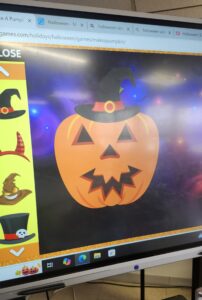
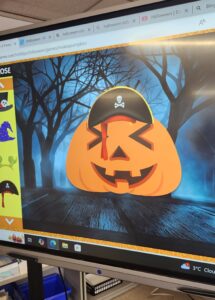 You can find this game