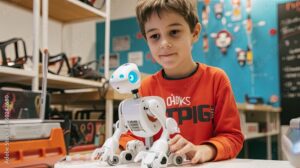
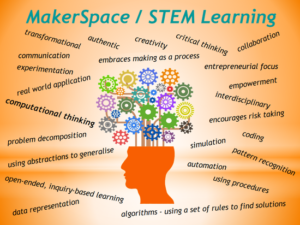
We learned in this week’s presentation that the world of coding is a growing skill in our digital world. The video that our presenters shared argued that coding is almost as important as reading and writing. Coding is a powerful skill that empowers students to challenge themselves, promotes resilience when tasks are difficult, and encourages them to improve their digital literacy. However, not all schools or even divisions provide students the opportunity to develop these skills. Therefore, it is important to understand how students benefit from these experiences, as well as outline some of the obstacles that may be preventing the inclusion of coding within the school day.
Educators bring coding into their classrooms because of the complex learning opportunities that these programs provide. When learning to write code, students learn how to break down complex problems that can break down overwhelming tasks into manageable steps. These are skills that students can continue to develop in their own lives, further preparing them for life outside of school. Additionally, students are developing computer skills that will help them when they enter the workforce. Many industries today require workers to be tech-savvy. Using coding, teachers can help their students to become more versatile, while also helping them become more employable.
While the benefits may be clear, not all students may take away from the experience in the same way. Students prefer to learn in different ways. While coding presents a different and interesting way of learning. Some students may not be able to make a connection between coding and their interests. This can make for a hard sell for students if it is not optional. With that being said, I still believe that the strong computer skills gained through a coding class would be beneficial for all students.
I have never considered myself to be very strong with technology. I learn the functions and programs that I use daily very well. However, I have never taken a strong interest to computer science or computer programming. If I were to include coding into a course that I currently teach or if I were asked to teach a computer science class, I would be relying heavily on research and peers for support. It would be a very intimidating task at this point in my career. I am by no means saying I would never have an interest in taking on the challenge, but there would need to be some strong professional development plans in place before I did so.
Educators are continually seeking to implement tools and strategies that can improve student success. Technology has changed the world of education in many ways. However, assistive technology such as speech-to-text, text-to-speech, and visual aids have helped students of all abilities be able to learn in a way that works best for them. These tools not only help to make learning more accessible and engaging, but also help to break down some of the barriers that exist within our education systems. However, with all great things there are celebrations and limitations.
Personal Celebrations of Assistive Technology
Throughout my short career I have had many students utilize assistive technology within my classroom. The use of a computer for assignments, research, and notes tends to be the most common accomodation that is made by school leadership teams. When I think of assistive technology, a specific student comes to mind. This student was diagnosed with mild dyslexia, and a possible aphasia diagnosis that was not completed. I worked with this student utilizing speech-to-text, as well as text-to-speech on their computer, daily. We worked together when it came to assignments, so that the student could still be independent much of the time, as they did not want me to have to sit with them for the entire class. One of the changes we made based on this student’s suggestion was the use of different fonts on the assignments I created. The student worked with me to download a specific font onto my work computer that could be used in word for printed material and assignments. They claimed it helped them to read what I was providing. Since the common fonts were not working, I was willing to give anything a try. Between the newly downloaded font, text-to-speech, and speech-to-text, the student was able to successfully complete their grade twelve year with respectable marks and minimal assistance.
Challenges with Assistive Technology
While assistive technology provides so many benefits to education there are also challenges that come along with it. The first challenge is that there is a learning curve with students who have not used the technology before. This is especially true for students who may not have worked much with computers in their earlier years. A second challenge is that technology is not always reliable. The batteries on the division provided computers are not always the best, meaning that students need to keep their computers charged or be near an outlet for the majority of the day while using their computer. A third concern is how the students are utilizing their computers. Many of the assistive tech computers can be used by the students to access online games. It is important to teach students about proper usage and encourage them to only use the technology for its intended use. Finally, the use of assistive technology can sometimes draw attention of the students learning needs. It is important for educators to foster a learning environment that normalizes and celebrates diversity. Whenever possible the same modifications can be made for all students to utilize if they choose.
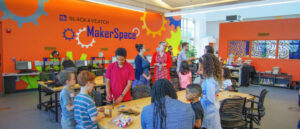
This week’s presentation on makerspace was the first time I was introduced to the activity. Makerspace as defined by the Lakehead University Library, is a collaborative work space inside a school, library, or a separate public/private facility for making, learning, exploring, and sharing that uses high tech to no tech tools.
How does it work?
A common limitation among most of the tech tools discussed or presented thus far is accessibility. On the contrary, Makerspace increases accessibility. It is a common place where resources can be shared, and the tools may support students of all ages. It promotes creativity, self-regulation, critical thinking, independence, perseverance, student-centered, and experimental learning. The space as the name suggests, is what you make it. The tools may or may not be digital, but, if the tools are digital, it can be quite expensive to create that makerspace. None the less advantages are:
Students will have access without having to purchase the tools individually
There is minimum limit of tools needed to create the space (start with what is available and increase it over time)
Fosters inclusivity (can be created to accommodate any age group, learning style, ability or disability)
Since it is not imperative to use digital technology or high tech gadgets in a makerspace, it can be taught be any educator and not necessarily a tech one. The educator, however needs to be aware of the needs of the students and ensure that the tool being used is age appropriate.
Below is a video that illustrates as an example of problem solving and growth mindset can be developed through a makerspace.
After watching the documentary The Social Dilemma, I became more aware of how much Web 2.0, also known as the “social web,” influences our lives. This documentary reveals how social media platforms like Facebook, Instagram, TikTok, YouTube, LinkedIn, Twitter, etc. manipulate users to maximize their profits, often at the expense of our mental health and well-being. This documentary highlights both the good and the bad sides of Web 2.0, and it helped me realize how these platforms affect not only individuals but also society as a whole.
The rise of Web 2.0 has drastically changed how we connect, share information, and interact online. While it has brought people closer together and made knowledge more accessible, it has also introduced new challenges, particularly concerning mental health, misinformation, and societal divisions. The impact of Web 2.0 is both good and bad.
The Good: Connecting People and Sharing Knowledge
Web 2.0 has made it easier than ever for people to connect across distances. It has helped reunite lost family members, find organ donors, and raise awareness for important causes. Social media allows people to stay in touch with loved ones, no matter where they are, making the world feel smaller and more connected.
The internet also makes it easy for anyone to access and share knowledge. Educational platforms, YouTube tutorials, and online communities enable people to learn new skills, explore new ideas, and help others. Social media can be a powerful tool for spreading useful information, learning, and inspiring positive change.
In schools, Web 2.0 has brought many benefits. Students can learn at their own pace, access a wide range of educational resources, and collaborate with classmates from around the world. These tools have opened up new learning opportunities and made education more accessible for many students.
The Bad: Mental Health, Misinformation, and Manipulation
Despite its many benefits, Web 2.0 also brings significant challenges, especially concerning mental health. Since 2011, there has been an increase in depression, anxiety, and self-harm among teenagers, particularly girls. Many young people feel pressure to appear perfect online, leading to issues like “Snapchat dysmorphia,” where teens want plastic surgery to match their filtered selfies.
Another major problem is the spread of misinformation. Social media platforms are often used to spread false or misleading information about topics like health, politics, and world events. Fake news spreads quickly, and it can have serious consequences, from influencing elections to inciting social unrest. In some cases, extremist groups use social media to spread harmful ideologies and recruit followers. This is not just a problem for social media users—it affects society as a whole. Misinformation and online manipulation can harm society, making it harder for people to trust each other or engage in meaningful discussions.
How This Affects Schools and Society
In schools, Web 2.0 offers both opportunities and challenges. On the one hand, it gives students access to learning resources and allows for collaboration. On the other hand, it can distract students, making it harder for them to focus on their schoolwork due to constant notifications and messages. It also puts pressure on students to look perfect and compare themselves to others, which can affect their self-esteem. Social media addiction is becoming a real issue, with students spending more time online and less time interacting with the world around them, which harms their mental health.
Web 2.0 has also contributed to a more divided society. Social media platforms often show content that aligns with our existing beliefs, creating “echo chambers” and deepening divisions. This makes it more difficult to have civil conversations and find common ground on important issues. Algorithms used by social media platforms often promote extreme or sensational content, which fuels political polarization and spreads misinformation.
What Can We Do About It?
The main issue with Web 2.0 is that the way social media companies make money does not prioritize the well-being of users. These companies profit by keeping users engaged as long as possible, which is why they design platforms to be addictive. The more time we spend on our screens, the more data they collect, and the more money they make. This business model is harmful to both our mental health and society.
To tackle these issues, there is increasing support for regulating social media companies. Just like other industries, tech companies should be held accountable for their impact on society. We need stronger laws to protect digital privacy, prevent the spread of misinformation, and ensure that tech companies prioritize the public’s interest over profit. While technology itself is not inherently bad, the way it is currently being used needs to change. Companies must stop treating users as products to be sold to advertisers and focus on creating platforms that serve society as a whole.
A Path Forward
The future of Web 2.0 is not set in stone. If we can adopt Sara’s suggestions, if we can come together and push for change, we can turn social media into a force for good. We can demand better privacy protection, more ethical business models, and regulations that prioritize our well-being. It is not too late to make changes, but it will require a collective effort. We must recognize the problems and take action before they worsen. We can still enjoy the benefits of the digital world, but we need to ensure it doesn’t harm our mental health, society, or future. By having open discussions and pushing for reform, we can make the Internet a better place for everyone.
In the end, the goal is not to reject technology, but to use it responsibly in ways that improve our lives and our communities. The internet has great potential, but we need to make sure it serves us, not the other way around.
Makerspaces or coding have transformed our entire education system into innovative space, whereas preparing our students to be lifelong learners and problem solvers by emphasizing on creativity, collaboration, and innovation. They have given students a platform to explore STEAM concepts (science, technology, engineering, art, and math) through various hands-on activities. Going through this week’s readings have given me unique insights about how makerspaces or coding can have a meaningful and lasting impact on students.
When I was working as an Educator I introduced Makerspace/coding through different project-based activities like simple available materials so that students can actively participate in their learning journey and apply their knowledge to the real world settings. In my science classroom, I allotted students to create models or projects in order to showcase the scientific concepts such as ecosystem projects or circuits. I believe these activities have built up abstract thinking and fosters critical thinking, problem solving skills and the collaboration skills. Moreover, beyond the theoretical knowledge the makerspace/coding teach them how to be resilient and prepare them for the real world challenges they will face in life.
Considering whether all the students get benefit or not from the makerspace/coding, I would say, it benefits most of the students. As, some students might face barriers because of various factors like lack of confidence or their interest and inequitable access to the resources. During my teaching practice in the rural region of India, I noticed that students who belong to the underprivileged backgrounds were often lacking in the confidence to experiment freely or they have limited access to useful resources. They were more comfortable in structured, teacher-led instruction and found makerspace or coding involved learning pedagogy more intimidating. But later I have observed that the students who were hesitant before were developing confidence and involved actively in the classroom because of the positive motivation and a supportive environment. Thus, this emphasizes on the importance of inclusivity and differentiated support in makerspaces to ensure all students benefit.
In my experience, I have discovered that a makerspace does not really depend on advanced technology or some expensive resources to be effective in the classroom. It requires simple materials like cardboard or charts to give students hands-on exposure to foster creativity, curiosity and active engagement. I remember when I gave my students a project to prepare solar ovens where they used cardboard, aluminium foil and plastic wrap to construct this model. This activity not only taught them about the scientific concept behind the solar oven but also encouraged them to enhance their collaboration and critical thinking skills.
I am not in favor of this thought that only “techies” can teach makerspaces. Any Educator can teach and integrate makerspace in their teaching practice. I have collaborated with various teachers who were having very little knowledge about the technology or makerspace initially but they were willing to learn and adapt this hands-on approach into their pedagogy to give students a space where they can grow and build 21 century skills over time.
This week was another discussion on coding and makerspace. A code, as described by Phillip Auerswald (2016), can be a set of instructions or rules for machines or humans. In computer science education, coding involves creating these instructions (list of rules) often written as a programming language to control a computer’s behavior, perform a sequence of instructions, repeat a sequence of instructions a prescribed number of times, and test whether a sequence was performed correctly until the specific outcome is achieved (The Conversation, May 2015).
Makerspace, on the other hand, is an open space inside a school, library or separate public/private facility that allows people of common interest to work together to think, design, create, learn, explore and share thoughts, ideas, questions and projects around specific topics of importance that use high-technology tools. The space allows people to work across different disciplines, including science, technology, engineering, mathematics, health sciences, hobbies, arts/crafts, and many more. My post today will focus more on coding.
The importance of teaching Coding to students
The continuous integration of technology into our everyday lives has advocated coding as a fundamental skill for students to function in a digital and information-driven world, apply computational skills, and transfer these skills to solve everyday problems (Ogegbo & Aina, 2023). Popat (2017) indicates that integrating coding into curricula is not just about teaching students to code but also to help them develop collaborative skills, problem-solving skills, and critical thinking skills that are essential for success in the 21st century and various academic disciplines. Furthermore, coding is regarded as an employable skill that teaches students to take risks and think logically while being empowered to fail in a safe environment. These skills are considered to be vital in all curricular areas as well as learning skills and work habits. Coding empowers students to be content creators rather than just content consumers. Teaching coding as a social practice can inspire students to use their skills to address real-world challenges and contribute to their communities (Popat, 2017).
There are some of us that think coding is meant for high school students or adults and not children. This ISTE video presentation by Keri Gritt basically explains why its important to teach coding even to younger children. She mentioned the fact that coding helps reinforce existing classroom concepts like sequencing, patterns, measurement, and storytelling and cultivates critical thinking, perseverance, flexibility, and teamwork. She also talked about the seamless integration of coding into curriculum, which requires a shift in teaching methods rather than adding new materials.
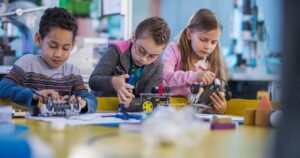
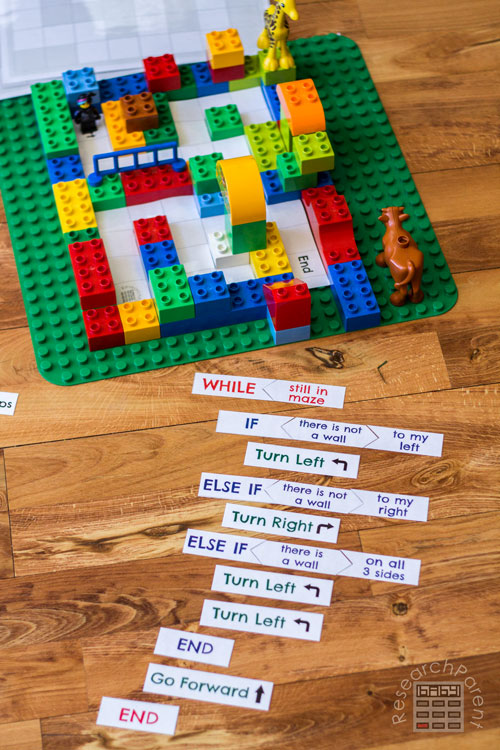
Students who engage in coding/maker space activities are actually exposed to a learning environment where they can work together in creating their own knowledge or idea of a topic/concept under the guidance of the teacher. This makes them to be highly motivated, as they are able to explore their interests and create things that they are passionate about. A typical example can be engaging young children in playing with Lego construction kits. Children can build anything of interest, and as a teacher, you can ask them to explain how they made their construction in case another person wants to replicate the same thing. In so doing, the children would give step-by-step instructions on what they had done (also known as an algorithm, which is a coding concept). During the activity, children can learn other principles like sequencing, pattern recognition, and abstraction, which can be used in solving any kind of problem.
Image copied from www.researchparent.com/coding-a-lego-maze/
Based on the values of coding, it is important as educators to provide opportunities for students to be innovative and create, and not just consume, technology. The question of whether all students benefit from coding education is not a straight-forward answer, as it depends on various factors, including accessibility of resources to students, pedagogical approaches used by teachers, and individual learning contexts. While coding education is increasingly recognized as essential for developing computational thinking and problem-solving skills, its effectiveness can vary significantly among different student populations based on several variables, like age, experience, student accessibility, technology exposure, technical skills, and other contextual factors (Duncan et al., 2014; Ogegbo & Aina, 2023).
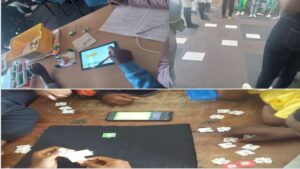
My experience as a teacher educator back in South Africa involved working with colleagues to facilitate coding and robotics workshops for students. This gave me first-hand experience on how to use both plugged and unplugged activities in teaching computational thinking concepts and practices using coding principles. Some of the activities we did during the workshop include students programming an Arduino, role-playing directions for one another to get to a particular destination, and the last one was the use of the TANKS coding app by Tangible Africa. It was initially challenging, but I had to do a lot of reading and attend several webinars to understand how those concepts are applicable to my subject area, and it took me time to be able to relate the concepts to other disciplines.
Sample of coding activities
So, should coding or makerspace be taught only by “techies?” My response would be ‘NO’. Since coding is regarded as basic literacy like math and English, then it should be taught by all teachers. I think the first thing will be demistifying coding as an approach that involves using technology., but rather see it as a pedagogical approach that can be used to promote inclusivity and enhance students interest in STEM careers. The article “An Overview of STEM, Robotics, Coding, and Maker Spaces” explains how coding activities are beginning to expand beyound curriculum and becoming a societal skill since it serves as a base for all kinds of game-based educational programs. Within the context of this article, makerspaces offer students a hands-on learning experience, allowing them to develop coding skills while exploring their creativity and problem-solving abilities. In addition, the article “Teaching-programming-in-schools-pedagogy-review-Raspberry-Pi-Foundation.pdf” outlines various strategies that teachers can use to support the integration of coding in the classroom. For instance, Kerit in the ISTE video highlighted some of the teaching methods and tools that can be used to teach coding to young children: physical sequencing of activities that help students create and follow programs using cards, understanding commands and sequencing, as well as peer activities that involve programming classmates to navigate obstacles; using robotics kits like KIBO which allows students to use barcoded blocks for coding; and Dash which allows students to use tiles to program actions (movement, sounds, lights), navigate paths, and do synchronized square dances. Based on all that has been discussed, I think non-techies should also be able to teach coding concepts in relation to their subjects. This will encourage students from various backgrounds to take an interest in the skills and break the stereotype of coding as “tech experts” alone.
As technology advances, coding will play an even more significant role in shaping the future, particularly with the growth of artificial intelligence (AI) and machine learning. I think it’s important that students are exposed to these concepts in their various subjects and disciplines with an understanding that the world is increasingly reliant on well-written code to operate smoothly.
References
Duncan, C., Bell, T., & Tanimoto, S. (2014, November). Should your 8-year-old learn coding?. In Proceedings of the 9th workshop in primary and secondary computing education (pp. 60-69).
Ogegbo, A. A., & Aina, A. Y. (2024). Exploring young students’ attitude towards coding and its relationship with STEM career interest. Education and Information Technologies, 29(8), 9041-9059.
Education is progressing, and online and blended learning have become important, reading Tomei’s book, I realized that online and blended learning are here to stay. Whether it’s fully online or a mix of in-person and virtual classes, the tools we use play an important role in making learning effective. From my own experience, I find two tools especially useful: Microsoft Teams and kahoot!. These tools help make learning more interactive and efficient, especially when teaching online or in a blended setting.
Why I chose Microsoft Teams
Microsoft Teams is a very good tool for online learning. It acts as a central hub where teachers and students can communicate, collaborate, and stay organized. Teachers can create different channels for different subjects or groups, making it easy for students to find what they need, share files, or join discussions. Teachers can use Teams to hold live classes, they can use Teams to track students’ progress, and parents can even plan an absence for their children by using Teams. Microsoft Teams integrates with other Microsoft tools like Word, PowerPoint, and OneNote, making it easy to create and share course materials. In a nutshell, Microsoft Teams makes online learning accessible and easier to use.
And why did I also choose Kahoot!?
I like Kahoot! because it is fun, it is game-based, and it makes learning more engaging. It uses quizzes to test students’ knowledge in a way that feels like a game. Students can play individually or in groups, answering questions to compete in real time.
This tool is great for reviewing lessons, checking understanding, or simply making learning more interactive. Kahoot! also gives immediate feedback, so students can see how well they’re doing. The Kahoot! tool helps to keep your students motivated and engaged, even in online classes where it can sometimes be harder to keep students interested. Microsoft Teams and Kahoot! can be used together; this video kind of lets you know how important these tools are and how you can use them together.
If I had to move from face-to-face teaching to an online or distance learning setup, there would be some big changes in;
Communication; In a traditional classroom, I love how students can ask questions right away and jump into group discussions easily as this helps in creating an engaging atmosphere. On the other hand, in an online setting, communication is more structured. Students may need to send messages or wait for scheduled meetings to get their questions answered. That is where Microsoft Teams comes in handy; it allows students to reach out for help and receive feedback quickly, making the process easier. I also appreciate how we can use technology today to be able to bridge this gap and enhance communication in our learning journey.
Engagement; In-person classes allow for more spontaneous conversations and activities. However online learning can sometimes feel isolated, but that’s where Kahoot! comes in. By making quizzes fun and interactive, it helps keep students engaged and excited about learning, even in a virtual environment.
Flexibility and Access; Online learning allows students to learn from anywhere and anytime. Teams make it easy for teachers to upload lessons and resources, which students can access whenever they need. However, staying motivated in an online setting can be a challenge. So, to help keep students on track, Kahoot! can be used regularly to encourage active participation and check their knowledge.
Technical Issues; One downside of online learning is that it depends on technology. Things like bad internet connections or technical problems can disrupt classes. But with Teams and Kahoot!, these issues are easier to manage. Both tools work well on most devices, and Teams offers support for troubleshooting, so students and teachers can handle problems quickly.
Blended Learning A Combination of Both Worlds; In my opinion, the best approach is blended learning, which combines online lessons with in-person classes. This way, students can enjoy the flexibility of online learning while still benefiting from face-to-face interactions.
With Teams, students can access lessons from home, while Kahoot! can be used in person to make the class more fun and interactive. Blended learning uses the strengths of both online and in-person teaching, making it an ideal solution for many classrooms.
In summary, As education continues to progress, online and blended learning will become more important. Tools like Microsoft Teams and Kahoot! Help make online learning easier, more engaging, and more fun for both students and teachers. Whether classes are fully online or in a blended format, these tools can help create a dynamic and effective learning environment. This video made me agree more, or what do you think?
Honestly, before watching the presentation given in the previous class by my friends, I was not aware at all of coding and maker space. They have used an innovative approach to build interest in this topic. I have just heard about ‘Coding’. As a language teacher, I know about language labs and my own technological devices used in the inculcation of the acquisition of language.
I understood after witnessing the presentation in the class that integrating STEM (Science, Technology, Engineering, and Mathematics), robots, coding, and maker spaces are crucial in today’s educational environment to help kids develop critical abilities like creativity, teamwork, and computational thinking. Because of the experiential learning opportunities these technology advancements offer, students are better prepared for their future employment. However, there are advantages and disadvantages to using these components in the classroom.
Students’ learning experiences can be greatly improved by including maker spaces, robots, and coding into the curriculum. These components encourage cooperation, creativity, critical thinking, and problem-solving. Additionally, they offer experiential learning experiences that can help make abstract ideas more relatable and intelligible. Students can prepare for a variety of potential occupations by using these tools to develop skills that are extremely relevant in today’s digital economy. Integrating STEM, robotics, coding, and maker spaces can help a lot of students, but it’s important to take into account different learning requirements and styles. Due to differing degrees of access to resources outside of the classroom or a lack of prior experience with technology, some students may face difficulties. Furthermore, pupils with diverse interests may not be as interested in these areas as others. Adopting inclusive teaching practices that accommodate all students is essential to guaranteeing that everyone has the chance to gain.
However, there are some common challenges for teachers who haven’t yet incorporated these technologies into their lessons. It could be a lack of trust in their ability to use them, restricted access to resources, inadequate training, and many more. Adding additional elements can also be difficult due to time restrictions and strict curricula. Implementation of these component’s success depends on recognizing and removing these obstacles.
Personally, as an educator, I love to add new things to my methodology of teaching. I keep myself updated with the new technological advancements. Teachers who have taught robotics, coding, or maker spaces found it to be a fulfilling and interesting experience. I believe that the experiential learning opportunities these technologies offer often encourage students. It can be challenging, though, as it calls for constant learning and adjustment to new resources and techniques. Overcoming obstacles and enhancing instructional techniques can be facilitated by peers exchanging experiences and best practices. Everyone’s experience can serve as support to overcome the barriers that come in the path of new learning factors.
I disagree with the statement, “Only “Techies” Should Teach Coding and Makerspace”. In my opinion, teaching coding or using maker spaces does not require strong technical expertise, however, it might be helpful. Any teacher can successfully incorporate these technologies into their lessons with the correct guidance and materials. The goal should be to create an atmosphere in which students and teachers can experiment, explore, and learn from one another. By introducing diverse viewpoints and abilities, interdisciplinary collaboration can also enhance the educational process.
(https://images.app.goo.gl/9hFasvGZdadD2gAA7)
Coding is a vital skill in today’s world. As technology pervades our daily lives, educators should empower students to innovate and create rather than just consume. Coding teaches problem-solving, risk-taking, and critical thinking, all within a safe environment that encourages learning from failure.
Teachers can gain a deeper understanding of the need to incorporate STEM, robotics, coding, and maker spaces into their lessons by reading these suggested texts and considering the related issues. This information can assist them in overcoming challenges, improving their methods of instruction, and eventually giving their students more engaging learning opportunities.
STEM and Makerspace is an integral part of the future of education. When I think about the power of AI and its ability to write and produce information in a split second that would otherwise take a human several minutes or hours to complete, these hands-on tasks seem far more important than they previously did in education. Last year we purchased around 25 Robotics kits for our Grade 9/10s at Rouleau School. Students took their first Robotics course with an eager teacher and while not all 25 students enjoyed it, all 25 did learn a completely new skill set, develop an appreciation for coding and the process of sequencing directions to make something happen. All students appreciated trying something new and were forced to learn patience and perseverance as they problem solved technical issues and new learnings. Many students are planning to take the next level of the course through our online options at the Sask Distance Learning Centre (Sask DLC) and will use these skills moving forward as they explore computer science programs. Even if many of the 9/10 students choose to never use these coding skills again, they will at least have an understanding of those processes and relate to their future children who will be growing up in a world where learning coding is likely to be the norm.
The value of these programs is to provide an opportunity for children to complete hands-on tasks. Our students were building robots and programming them to complete a series of functions. Whether having them light up in a certain sequence or battle each other for robot supremacy, their problem solving muscles were flexed and they thought in different ways than they need to in other subject areas. The teacher was able to complete a couple cross curricular projects like having the robots draw pictures for art or understand light in science.
Coding and Makerspace courses do not need to be taught exclusively by techies, however, if the person is not a techie, they should be patient and prepared to constantly be working through technical errors in a positive light. We saw students become frustrated time and time again thankfully our techie teacher was both knowledgeable and patient helping students remain positive. The skills can be learned by anyone, but like most subjects, a combination of competence and passion leads to a lot of success. I see it a lot in sports. Many teachers or staff members feel obligated to coach a team to do their part. Those who are not in it, often lose the interest of the students because they can see there is no excitement or passion for those sports. Those coaches who are eager and excited to be there, often captivate the students’ interest more and many teams perform better than on the teachers with the disinterested, skilled coach. Excitement and passion is integral to keeping the interest of our “phone-based childhood” students.
Assistive technology can benefit all students. Most of the adaptations or accommodations we provide students not only benefits those it is in place for, but also the class as a whole. This is true for assistive technology as well. My experiences with assistive technology is fairly limited, but my experiences with adapting instruction and providing accommodations is more well versed. I’ve frequently used bluetooth transmitter/FM type systems to communicate with students who wear hearing aids. Combined with the hearing aids were providing accommodations like printed notes, pre-filled in notes, and verbal and written instructions on exams. My use of Google Classroom has been beneficial for all students as it makes it easier for students with ADHD (and pretty much all pre-teens/teenagers) to stay organized. When it comes time to complete a larger project or prepare for a test, students can spend more time studying and less time searching for their work. For students with chronic absenteeism, which currently mostly stems from mental health issues, it is much easier for students to stay engaged and keep up independently with Google Classroom.
Further, our school continues to access Google Read and Write which allows students to manipulate text in a variety of ways based on learning style. Speech to text, text to speech, and picture dictionaries are the most common forms of tools used on that program. As a school with a device per student from K-12, it has allowed us to utilize iPads and Chromebooks at regularly scheduled times. Since every student has a device it has allowed teachers to get into a routine of using a program like Google Read and Write. The benefit has been that students are comfortable using it and it hasn’t been a simple novelty used once. The text to speech is beneficial when you want students to work on something in pairs and to save some time can listen to the text and follow along. Provides more time to work with the knowledge than spending the entire time just trying to read the passage. The same is true for speech to text. In social or science it can be incredibly frustrating for a student to get their thoughts down on a sheet or paper or document when writing or typing. With the ability to do speech to text, students can show what they are learning much faster. I believe our understanding of this technology with improve as we become more comfortable with AI.