Let’s drive Education forward using AI!

As a Principal, I often use AI to proofread or draft letters that I am sending out to staff or families. It’s something that I’ve done sporadically in the past and would often think of doing after I had drafted the letter. This fall I drafted the letter to our families about the Anxious Generation book and after completing it, realized I could have saved myself quite a bit of time. Luckily though, I was able to ChatGPT a letter and make a better version between the two copies. 

As a History teacher I have been using zerogpt.com to combat the use of AI in my classroom. It is far too easy for my students to cheat using AI so I am constantly having to copy and paste their work into the website to see what percentage comes back as AI. For every assignment with a class of 25 students, 2-3 students are caught with a 90% AI generated assignment. We’ve attempted to combat it by having students handwrite their assignments, but that then makes it more difficult to check and they are simply rewriting the info from the screen. Additionally, I’ve used AI to learn about historical events, organize information, create slides, develop assessments, and enrich my lessons. 

As a volleyball coach I’ve been able to plan practices and analyze our statistics using AI. It’s provided me additional ideas for practice plans when I hit the mid-season slump and have run out of ideas. Its analysis of our data has been helpful to determine where to place athletes on the court and identify areas of success or challenge. 

Outside of cheating and plagiarism, I see a massive number of benefits of AI in the educator sector. The instantaneous ability to provide feedback to both multiple choice, but also written prompts is impressive. The opportunity to become so much more efficient is something every teacher and administrator needs to strive to become highly functioning in. AI can develop schedules, create assessments, correct those assessments, provide feedback, and engage students. The future of AI is exciting, even if there are a few unknowns, because teachers can’t be replaced, but they can be inspired and provide ample opportunities to improve and become more efficient. AI is the first thing introduced during my 12 years as a teacher that has the potential to increase learning outcomes. 

Additionally, the area which excites me the most are the virtual tutor programs that exist. I see students and my own children utilizing these as they get older for additional support and extra practice. The instant feedback will go a long way with our new generation of youth who thrive on instant gratification. 

Lastly, I see the future of AI as a tool which is embedded in our everyday lives. I hope to see AI improve email efficiency and see us transition away from email to a more chat based system. Like all technologies, I believe the changes over the next decade will be a rapid acceleration before  we have moved on to the next technology or made most of the advances we can make. We’ve seen this with the iPhone where each new version does not have any significant innovative upgrades over the previous version. During the first few versions the upgrades were mind bending for users and were impressive considering a couple years prior we were using T9 or ABC texting and taking photos on a flip phone that were so grainy you couldn’t make out who was in the photo. 

I hope to see AI improve education and reverse our current trend of making things easier for students. I find I’m constantly needing to reduce the amount or quality of work I expect from previous students. With AI being used effectively, I see schools prioritizing hands-on learning in robotics, play hall, and makerspace courses. AI makes obtaining and accessing information easier than ever. Now, it’s about developing creativity and problem solving skills using our hands and AI. Let’s drive education forward with the use of AI.

I’ve included below an IT Tool handouts from Prairie South School Division. It provided a great overview of the most impactful and relevant AI programs for education.

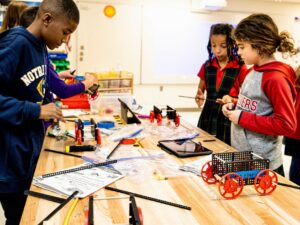
AI Tool Handouts (3)

Posted in Uncategorized

The importance Coding and Makerspaces in Education

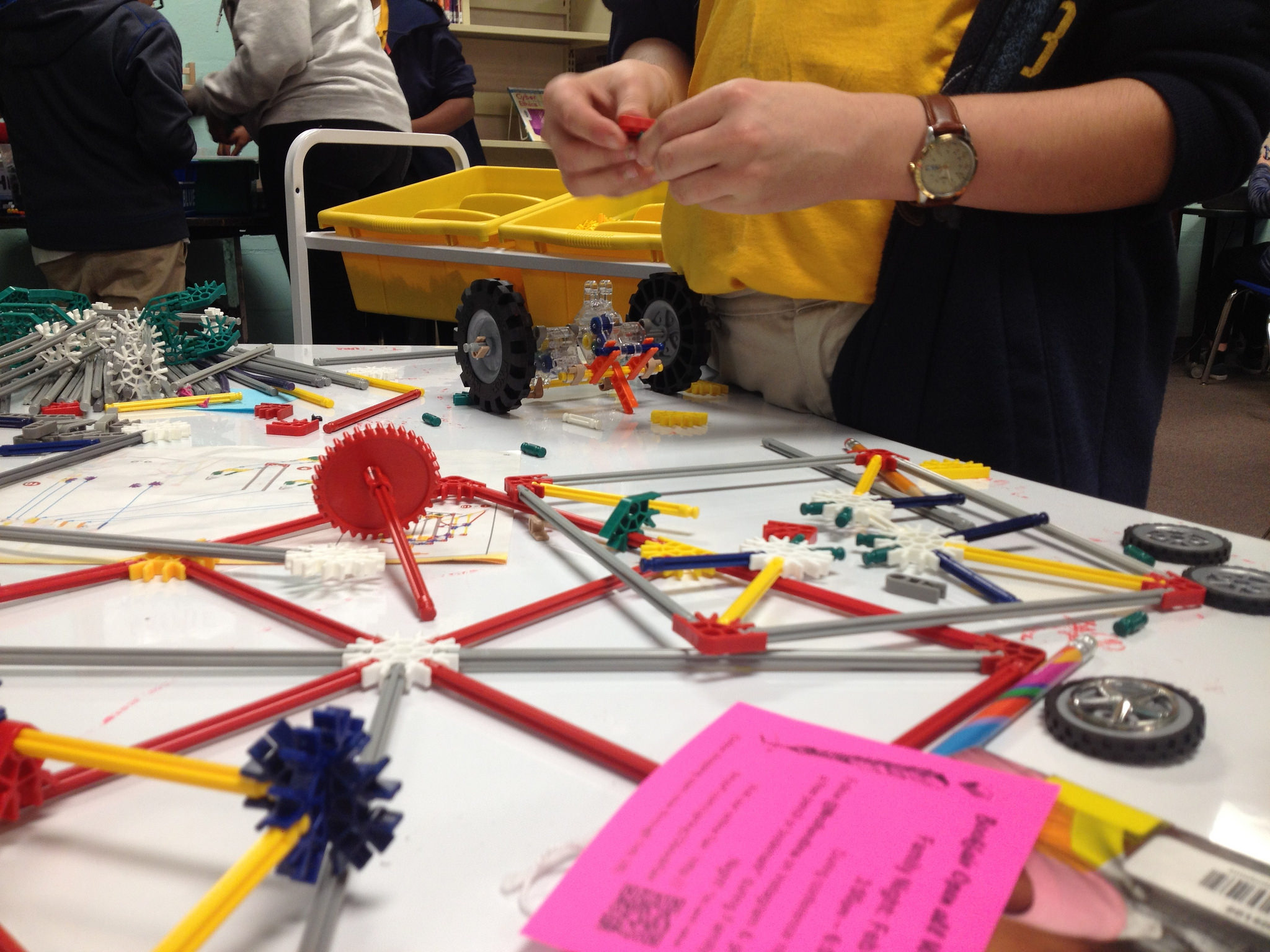
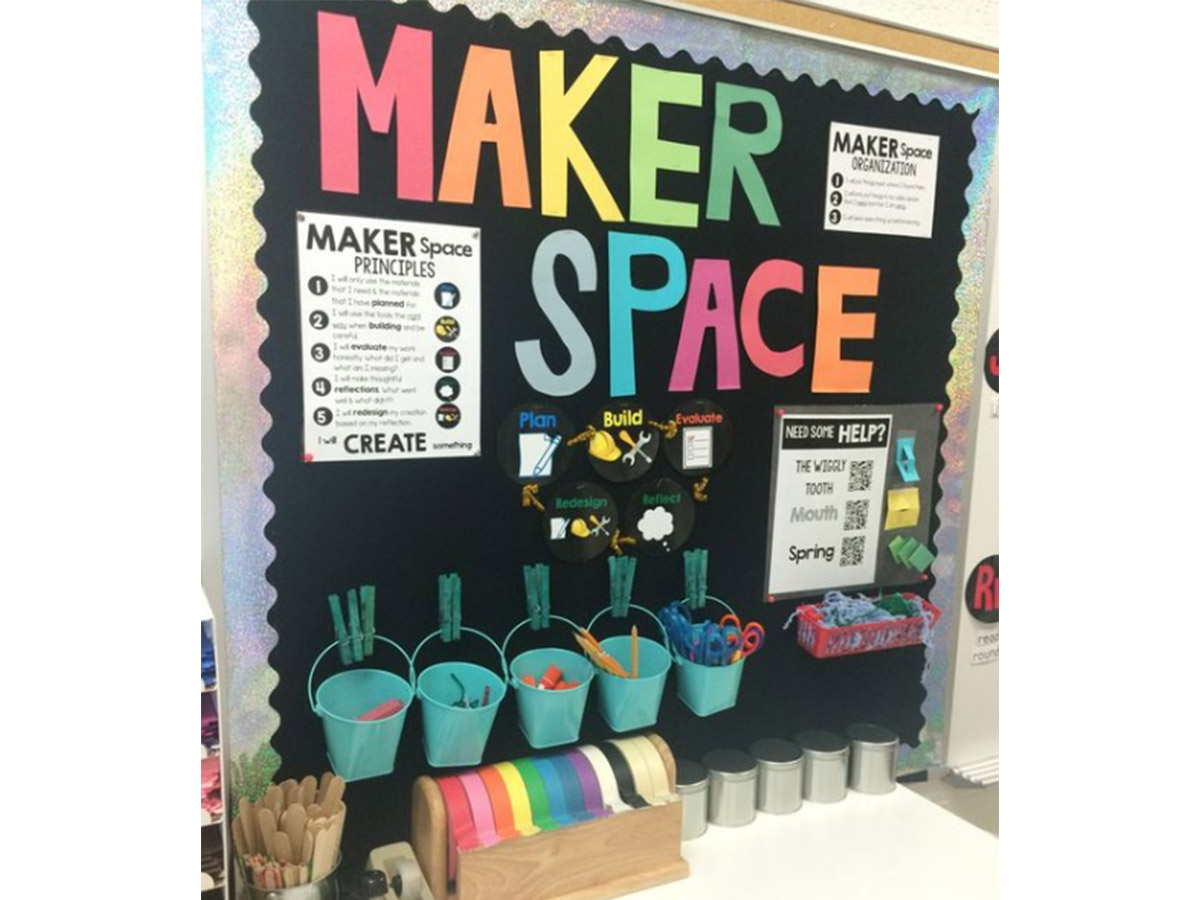
Coding and makerspaces in the classroom act as a gamer-changer in the education system by providing immense opportunities to students to explore, create and engage significantly. Makerspaces provide a platform to students to develop 21st century skills and polish themselves to deal with real world challenges. Having worked in the education field I have observed how such approaches like makerspace and coding have totally transformed the teaching and learning. 

Coding and makerspaces have the ability to develop skills like creativity and critical thinking in  students. These strategies motivate students to think logically while solving any problem and find structured and meaningful solutions. Coding helps the students to show their creativity and build apps or games while the makerspaces helps the students to understand tactile learning where they can design or experience and brings their theatrical understanding to life. As an Educator, I always encouraged my students to be active creators or problem solvers of their life. This encouragement not only boosts their confidence and resilience but also helps them to unlock the hidden potential in them.

Who Benefits or Who Left Behind?

In my perspective, every student benefits from the coding or makerspace but the only challenge is the equitable access to the technology or resources provided. Students who belong to well resourced schools have better chances to engage with such initiatives. However, the students who belong to the remote areas and studied in underfunded schools have less exposure to reliable technology and this results in the digital divide. Moreover, every student has diverse learning styles, this demands for a tailored support and inclusion strategies so that all students equally participate in the classroom. 

 Challenges in Implementing makerspaces /coding in classroom 

There are numerous challenges in order to implement makerspace or coding in actual practice. Firstly, the major issue is the lack of funding from the government for the required resources like computers or even to build a room for executing makerspaces strategy in the schools. Secondly, the teachers are not properly trained and unaware about how to integrate these approaches into their teaching pedagogy. Reflecting on my teaching journey, I have witnessed the real benefits of incorporating the coding and makerspace in the classroom. I have met a number of talented students who have designed apps addressing local problems like waste management or mental health awareness. These modern strategies have made learning more exciting and instilled a sense of accomplishment in students. 

Should Only “Techies” Teach These Skills?

I strongly disagree with this thought that only “techies” should teach coding or makerspaces. The only thing which matters the most is the eagerness to learn and have a growth mindset both in the teachers and students and also a right support and training by the organization to empower the educator with confidence to teach such skills. Whether you are a pro in technology or just a beginner in your teaching journey, the key to success is to believe in yourself and take the first step forward and create an innovative and creative environment for your students to thrive.  

Knowledge gained from : https://www.trceducation.com/stem-robotics-coding-and-maker-spaces

Posted in Uncategorized

Assistive Technology: History, challenges, Benefits and Suggestions

Reading about Assistive technology (AT), I realized that it has been a game-changer for many people with disabilities, improving their ability to do everyday tasks and access things like information and mobility. Over the years, these tools have evolved from simple inventions to advanced technologies that help people lead more independent lives.

How it all began…..

Assistive technology began with basic tools like wheelchairs and braille, created to help people with specific needs. In the 1800s, Louis Braille developed the braille system, making reading and writing possible for the blind. Later, in the 20th century, inventions like hearing aids and talking books expanded access to information. Fast forward to today, and we have devices like smartphones, smart tables, and specialized apps that offer even more opportunities for independence. Assistive Technology in Education and the Classroom

What it is?

Michael defined Assistive technology as an umbrella term that refers to any device or system designed to help individuals with disabilities perform functions they might otherwise find difficult. Devices available for people with disabilities range from hearing aids, visual aids, learning tools, mobility aids, like crutches and wheelchairs, to more digital solutions, like screen readers or software.

Halpin outlined some numerous benefits of Assistive Technology to individuals, organizations, educational institutions, and the society and they are…….

  • For people with disabilities, assistive technology increases independence, allowing them to perform daily tasks on their own. It improves communication, enhances learning, and offers better mobility, making it easier to access information and participate in various activities. This also opens up more job opportunities by enabling people to work efficiently.
  • For employers, using assistive technology leads to a more diverse workforce, boosts productivity, and ensures compliance with disability rights laws. It also promotes creativity and innovation by fostering an inclusive environment where everyone’s abilities are valued.
  • In education, assistive technology creates inclusive learning environments, helping students with disabilities achieve better academic outcomes and ensuring equal opportunities for all students.
  • At a societal level, assistive technology promotes social inclusion, reduces healthcare costs, and improves the quality of life for individuals with disabilities, helping them live more independently and engage fully in community life.

Despite its progress, there are still challenges when it comes to assistive technology:

  • Cost
    Many assistive devices are expensive, making them out of reach for many people. While there are free options, they often don’t provide the same level of support.
  • Adoption and Understanding
    For assistive technology to be effective, it needs to be accepted by more than just the person who will use it. Teachers, employers, and family members play important roles in adopting and supporting these devices, but biases or misunderstandings can slow down the process.
  • Training
    Even when people have access to technology, it’s only helpful if they know how to use it. Without proper training, many assistive tools are underused or misused.
  • Lack of Support
    The technology might be available, but often there is a lack of support and resources to make it work in schools, workplaces, or homes. Sometimes, the bureaucracy or lack of funding prevents assistive technology from being implemented.

    What is the way forward?

  • Smart technology can be used like the Internet of Things (IoT) to help in connecting devices like smartphones, appliances, and entertainment systems, allowing people with disabilities to control everything from one point. This creates more independence at home and beyond.
  • There should be accessible cars specifically designed for the blind using sensors, vibrations, and auditory commands, these are being developed and should continue to be developed, with self-driving cars on the horizon, this could revolutionize transportation for people with visual impairments.
  • Efforts are underway to make assistive technology more affordable, so more people can access the tools they need. Open-source projects like NVDA, a free screen reader for the blind, are helping to reduce costs and make technology available to all.

To wrap up…..

Assistive technology has come a long way, from basic tools to sophisticated systems that help people with disabilities live fuller lives. But challenges like cost, training, and support still need to be addressed. As technology continues to evolve, there’s hope that more solutions will arise to break down the barriers that many people with disabilities face. By making these technologies more accessible and affordable, we can ensure that everyone is included and has the tools to live their best life.

Posted in Uncategorized

Coding in education setting

Coding is not only typing on keyboard and writing function and programs simply as it’s a door that opens to the reality of how the technology works and what is the logic behind it which helps in shaping our modern world. Through coding, we as a teacher prepare students for necessary thinking and problem-solving skills at an early age. Coding also fosters creativity; students can create games, apps or animations, watch their ideas being implemented. For example, the Hour of Code activities as in just one hour, students come across such things as loops or conditionals in a very engaging way. It makes them more concrete thus help make learning fun rather than a chore (Puckett, 2021; code.org, n.d.).

Besides, coding projects are usually group efforts, which improves interpersonal skills, group cooperation as students grapple with problems. In the classroom coding develop resistance. When kids learn about error messages in code, they are bound to learn patience, a quality that is unique from other subject areas but is very much essential in life. Students also know that errors are not bad, but rather pit stops in learning so it can be a perspective change to enhance confidence and promote a growth perspective among learner.

Do All Students Benefit?

While not all of students can afford the devices, internet connectivity among other necessities for coding education. Accordingly, the schools that are in the economic disadvantaged regions are unable to avail these necessities. Nevertheless, methods that involve activities such as pair programming where two students sit with a single device makes everybody’s participation is ensured and strengths students learning from each other Further, code activities are needed to be engaging for different types of learners. However, less computer experience might be a reason for students to become less less confident.

Obstacles in Teaching Coding

While incorporating coding into teaching, educators, may be overwhelmed by the challenges that come with the activity. Time management as well as the lack of equipment and other resources besides inadequate or no training time. Another major challenge is the fact that most of the people seem to believe that only teachers who are adept in technology can deal with code. As having prior knowledge of the coding is advantageous but there are new platforms such as Code.org which make instructions easy and a teacher even with little experience in coding can lead the class skilfully. Moreover, use of platforms that offer guided tutorials, lesson plan and support make coding friendly even to teachers.

I have not taught coding in my entire teaching but I think that ideas of coding corroborate the principles of experiential learning. Again, like other forms of project-based learning activities that I have incorporated in my class, coding promotes creativity and group collaboration. For example, children programming together to obtain a problem in computer science could be similar to how students solve a coding challenge as they work in groups on experiments, projects, etc.

https://www.youtube.com/watch?v=f7M7_3rZKDo

Are Computers best taught by ‘Techies’?

Earlier, when I didn’t like using computer and learning new technologies, I could have agreed with this statement but when I learned basic coding and one of my colleagues became a coding expert, my narrative got changed as it also made me believe that coding is not about trying to be a programmer but to provide learning environment for the students in which they can learn from their mistakes. Frameworks such as PRIMM (Predict, Run, Investigate, Modify, Make) allow teachers to take students through coding lessons in a clear manner though the teacher does not need to be a technical expert.

I really feel, coding helps in development of logical thinking in students. In this way, by making coding more as a subject about learning, and not a strict science subject, professionals can teach many of the more generic skills needed in the modern world including creativity, critical thinking and the ability to work with others. Coding can be a cross curricular subject where aspects of art, English and history are incorporated into projects or lessons.

However, at the end, I do not think that code can actually ruin the hopes of the education system for students to gain very important skills and to have fun while learning and developing. Though I do not have prior teaching experience in coding, the resources that I have looked at make technology appealing in the classroom to prepare the students for future. In this manner, the basic intent of the codification process when applied to education is to ensure that everyone can be encouraged to become the next generation of innovative coders.

I have read these resources for this blog post-

https://www.trceducation.com/stem-robotics-coding-and-maker-spaces

https://www.raspberrypi.org/app/uploads/2021/11/Teaching-programming-in-schools-pedagogy-review-Raspberry-Pi-Foundation.pdf

https://dergipark.org.tr/en/download/article-file/1853378

https://www.raspberrypi.org/app/uploads/2021/11/Teaching-programming-in-schools-pedagogy-review-Raspberry-Pi-Foundation.pdf


Posted in Uncategorized

Coding and Maker spaces: Transforming Education for the Future

This week’s presentation on integrating coding and maker spaces into the classroom emphasizes on preparing students for a rapidly evolving world. These tools are not limited to use by “techies” but foster skills like problem-solving, creativity, and collaboration among students.

Coding and maker spaces provide hands-on learning experiences to students. As discussed in the article, An Overview of STEM, Robotics, Coding, and Makerspaces, these activities encourage computational thinking, creativity, and student teamwork. For instance, when students build a robot or code a simple program, abstract concepts become clear, helping students connect theory to real-world applications. They learn perseverance, critical thinking, and the importance of collaboration which can be transferred to their life and career.

It’s important to consider accessibility when it comes to potential benefits of coding and maker spaces. Due to disparities in access to resources and internet connectivity, all students may not benefit equally from it. Moreover, students with less expertise in technology may struggle to use these tools initially. This gap can be addressed by schools ensuring that coding and marker spaces become inclusive, supporting all learners irrespective of their background or prior experience.

The obstacles faced by educators for implementing coding or marker spaces can be lack of funding, limited access to equipment or insufficient training for teachers. The article Teaching Programming in Schools: A Review of Approaches and Strategies, mentions that one of the challenges in teaching coding is making educators feel confident and supported in delivering these lessons. These barriers can be overcome by providing professional development opportunities and affordable resources.

I disagree with the notion that only “techies” can teach coding or maker spaces. Educators can facilitate these tools by focusing on guiding the learning process rather than being experts in the field. Teachers can work on encouraging exploration, curiosity and problem-solving in students as a part of incorporating these novel tools. As highlighted in this week’s discussion, the collaborative nature of coding and maker spaces creates opportunities for educators to model lifelong learning alongside their students.

To sum up, including coding and maker spaces into education is not just about teaching technical skills, in fact, it’s about empowering students to think critically, solve problems and work creatively.The potential benefits of these far outweigh the challenges to implementation. These tools if implemented with the right support and mindset can transform classrooms into spaces of innovation and inclusivity for students.

Posted in Uncategorized

Ensuring “Good” Assessment Practices with Technology

As assessment technologies become an integral part of classrooms, it’s essential to consider how they can enhance, not hinder student learning. After watching and listening to a presentation by Erik Voss; an expert in educational technology and assessment, and how he shared valuable insights on how we can ensure that technological tools support meaningful learning while avoiding potential negative social and cultural impacts, I came to this conclusion:Assessment Stock Illustrations – 60,186 ...

  • Technology and assessment, are not so separate

Erik kicked things off by challenging a long-held belief: that teaching and assessment are separate entities. Instead, he proposed we think of them as intertwined parts of the same process. He emphasized that assessments should be seen as learning tasks—tools that not only measure student progress but also actively contribute to their learning. The idea is simple: assessments should help students grow, and technology can play a big role in making this happen.

  • Learning-Oriented Assessment: The Key to Productive Learning

He introduced several frameworks that guide the integration of technology in assessments, one of which is the Learning-Oriented Assessment (LOA) model. This model highlights three main components:

a. Assessment as Learning Tasks: Instead of just measuring what students know, assessments should engage them in learning.

b. Student Involvement: Students should be part of the assessment process, actively engaging in reflection and improvement.

c. Forward-Looking Feedback: Feedback should focus on helping students improve rather than simply evaluating what they did wrong.

However, he pointed out that while technology is often discussed in these frameworks, it’s not always explicitly addressed in the context of these key components. So, Erik proposed a way to combine Pedagogical Knowledge, Assessment Knowledge, and Technological Knowledge (PAK, CK, and TK) to create a more coherent and supportive approach to learning-oriented assessments.

  • Merging Pedagogy, Assessment, and Technology

In his framework, Erik highlighted the need to blend these three areas of knowledge. Instead of treating technology as a separate tool or a “bonus,” it should be integrated into the entire educational process. For example, when creating an assessment task, teachers should consider how technology can facilitate learning, support the assessment process, and improve feedback. It’s all about finding the sweet spot where content, pedagogy, and technology overlap. When all three work together, they provide a richer learning experience for students.

  • What Does This Look Like in Practice?

He gave some fun examples to show how this framework works in real-world situations. For instance, imagine a listening comprehension task where students watch a video. The technology can be used to deliver the content (on a laptop or mobile device), while pedagogical strategies can be implemented through interactive questions that engage students and provide immediate feedback. The right tool can make the learning process more dynamic, fostering deeper understanding and promoting better outcomes.

Another example was task development, like creating a test to assess students’ knowledge of vocabulary. Here, technology helps identify high-frequency words using tools like vocabulary profilers or corpus tools, making assessments not just easier to create but also more aligned with the learning objectives.

  • Avoiding Potential Pitfalls: Cultural and Social Effects

With the rise of technology in education, it’s essential to address the cultural and social effects that can arise. As Erik reminded us, technology doesn’t have a philosophy of teaching and learning—it’s the teachers and researchers who drive the theory behind its use. The goal is to ensure that technology always serves pedagogical principles, not the other way around.

One potential risk t is the digital divide—students with limited access to technology may be disadvantaged. Teachers need to be mindful of this when designing assessments and consider how technology can be used equitably. Whether it’s choosing tools that work across devices or ensuring that technology doesn’t distract from the learning process, it’s important to prioritize equity and inclusivity.

  • Looking to the Future

Emerging technologies, such as AI-based proctoring, smart glasses, or any new tool which could revolutionize assessments in the future, should be carefully considered and integrated with pedagogical and assessment goals in mind. Technology, when chosen thoughtfully, can elevate the learning experience, just as long as it doesn’t overshadow the ultimate goal of helping students learn and grow. The key takeaway from Erik Voss’s presentation is clear; while technology can enhance assessment practices, it should never overshadow the core principles of good pedagogy. Teachers need to be intentional about how they integrate technology into their assessments, ensuring that it supports student learning, promotes meaningful feedback, and avoids any negative cultural or social impacts. As educators, it’s our job to stay mindful of these factors as we embrace the future of learning-oriented assessments. With the right balance of technology, pedagogy, and assessment knowledge, we can create a learning environment where technology empowers students rather than limits them. Let’s make sure that, as technology continues to evolve, it remains a tool for supporting high levels of student learning and thinking now and in the future.

Posted in Uncategorized

EC&I 833 – Summary of Learning

Thanks for a great semester! My Summary of Learning is a culmination of new learnings, mixed with reflections on past, current, and future practices. The learning was made possible by excellent presentations from my classmates!

(https://youtu.be/7Yg94Wcv9vI)

Posted in Uncategorized

The Importance of Coding in Education

The presentation by both of my classmates last week was very interesting and comprehensive, where I learned a lot about coding. Personally, I believe that coding is very powerful and useful in today’s society — it can give students the logical thinking and problem solving skills, as well as make them improve their creativity. According to Nduta (2023), coding can be defined as writing instructions for computers and other hardware. The computer is then able to read the instructions (also called programs) and do what one has asked it to do. This can be complicated because computer language is different from human language — a human needs to learn computer language (programming languages) to write programs that the computer can understand.

Presently, coding is used by large corporations like Netflix, Google, Amazon, and others in their businesses. However, even smaller businesses and organizations use code to build their websites and applications in order to improve their business growth, eventually. Thus, coding is significant in the business world as it affects our daily lives and how we go about our business.

Directly, one may think that not all students may benefit from learning how to code, since not everyone will want to pursue a career in computer science. However, indirectly, especially elementary and high school students, they may learn to think more critically and logically when they are taught coding in school. Coding boosts problem-solving skills, improves computational thinking, and helps teach digital literacy. The younger students can benefit in learning how to code because technology surrounds us; it facilitates communication, supports practically all our work, and supports nearly every business/industry in the global economy. Thus, as the younger children need to know technology, they need to be digitally literate.

In my case, I have not yet engaged in coding in my previous classes. I know it is essential in this modern technology-driven world, however, I did not exactly know before how to integrate it in my classes. Perhaps it is because I used to teach college students from different majors, and the subjects I used to teach were in the social sciences; subjects that are more theoretical in nature. Perhaps I think that teaching coding should be done separately (specific subject like Computer learning or Introduction to Computers) rather than to integrate it in social science subjects. It also holds me back because I am not a very technical person in terms of advanced computer skills like coding. Therefore, I believe that it would be very beneficial to both the educators and students if someone with a technical background should teach coding. Not everyone has to be a computer science major to teach coding; for example, a mathematics or statistics major, or an engineering major can teach coding with the proper computer programming background. Like the speaker in the Tedx Talk video below, Matthew Reynolds — he taught mathematics in various boarding schools in different countries, yet discusses the importance of coding and why students should learn to code. Someone with a technical background will appreciate more with regards to teaching coding, and the students will also learn more for their advantage in the future.


Posted in Uncategorized

EC&I 833- Summary of my learning journey

My final learning journey for EC&I 833: Foundations of Educational Technology

Kindly follow the link: https://youtu.be/TbTb7E7Vgtk for My summary of my learning journey for the course: Foundation of EdTech.

In above video, I have tried capturing what I have learnt over last few months. I would like to share my personal preferred digital tools I have been using from years:

  1. Zoom
  2. Kahoot
  3. Google Forms
  4. Canva
  5. Mentimeter
  6. Quizalize

These tools or techniques are widely used in Education sector and nowadays accepted universally to teach or give appropriate feedback to learners. Hence, we can say these digital products have made education or learning easy and impactful. it has reduced Digital divide and enhanced Digital Literacy.

At the last, I would like to share incorporation of my editing skills used to capture this video using VN App.

I hope you enjoyed the video and blog.


Posted in Uncategorized

Makerspace – Would It Be Possible in My Classroom?

Coding and makerspaces can definitely be a great addition to teaching STEM subjects. However, as an ESL/EAL instructor, there are very few ways for me to integrate coding and makerspaces into my lessons. Maybe I can’t support this blog post with many examples from my own teaching experience, but I would be glad to discuss the obstacles that are preventing me from using these technological advancements, and I will focus specifically on makerspaces.

What is a Makerspace?

Man in black shirt and brown apron sitting beside a woman in black shirt
Photo by Antoni Shkraba on Pexels

That was the question I asked myself at the beginning of Ayodele and Chinazam’s comprehensive presentation. I was extremely excited to learn about the area of education that was fairly new to me. According to Michael Puckett (2021), the maker movement enables students to “create, ideate, invent and experiment while having fun learning through creative expression and technology” (Puckett, 2021). Maker’s spaces provide learners with an opportunity to access various equipment and tools, such as green rooms, digital cameras, and virtual reality devices, to explore, create, and collaborate. Makerspaces also support the principles of inclusion by creating a common place for sharing ideas and resources (Puckett, 2021).

Do All Learners Benefit From Makerspaces?

I believe that makerspaces are an absolutely fascinating way to make STEM subjects more fun and practical for students. As Ayodele and Chinazam mentioned in their presentation, some of the key beliefs associated with makerspaces are fostering active and contextual learning instead of the passive one. Puckett (2021) believes the maker movement encourages interdisciplinary STEM integration. Makerspaces also promote project-based learning, and, according to Jane Waite and Sue Sentence (2021), such an approach incorporates independence, realism, and ownership as learners have multiple options of what to work on and how to carry out their project.

Girl in white and pink shirt wearing white vr goggles
Photo by Julia M Cameron on Pexels

Nevertheless, we should always remember that technology should be integrated to benefit our students. We should never introduce certain tools and devices to our students just because we want to keep up with the fast de

veloping world. We have to remember that makerspaces are created to primarily motivate STEM learners. My adult ESL students, on the other hand, need less equipment to learn successfully. We do use a lot of electronic devices in my class, such as a smart board, computers, a printer/copier, etc., but they are quite sufficient for my students to reach their goals of improving their English language skills. Moreover, some of my students lack technical skills, and working with elaborate equipment might actually discourage them. Although having access to VR glasses or robots from time to time might be an amusing change of pace for my students, I doubt we would resort to them too often because they may just be too complicated for them.


What Obstacles Are Holding Me Back From Organizing a Makerspace in My Classroom?

  • Makerspace equipment is rather expensive. We have to admit that, unfortunately, the devices used in makerspaces are often quite costly. For example, Puckett (2021) states that a 3D printer may cost up to $1000. Unfortunately, not all organizations and educational institutions are able to afford such equipment, making organizing a makerspace an unattainable task. However, I am really grateful that my students have access to a computer lab, which helps them build essential digital skills while improving their English. Who knows, maybe one day we will have a small makerspace as well!


  • A woman wearing a blazer pointing at a laptop using a pen
    Photo by LinkedIn Sales Navigator on Pexels

    Not all of my students possess sufficient technical skills. The levels of my students’ technical skills vary a lot. The computer-based tasks I prepare for my learners are pretty easy for some and quite confusing for others. Therefore, I feel that giving my students access to advanced makerspace equipment might actually cause frustration instead of excitement. I believe technology should be introduced gradually to ensure that everyone learns at their comfortable pace and benefits from the newly acquired knowledge.


  • I would also need some training. I have just recently found out how to replace cartridges in a regular colour printer, and not without the help of my co-worker. That is why I think I would need much more training if we had a 3D printer or any other advanced tools! 🙂 We shouldn’t forget that before we introduce the makerspace to our students, we as educators should also familiarize ourselves with its equipment.
 

  • We have to be mindful and realistic about our students’ goals. One of the main principles of Portfolio-Based Language Assessment (PBLA), the teaching model used in the Language Instruction for Newcomers to Canada (LINC) classes, is using real-world tasks to teach our students. While trying out robotics, VR, 3D printing, production equipment, etc. can be extremely beneficial for school and university students who are gaining skills for their future professions, my learners’ goals are a little different. They aim to build the basic language competencies that they can apply right away, such as reading food labels at a store or talking to a doctor. Encountering complicated devices offered in a makerspace may just not be my student’s short-term goal. Nonetheless, if makerspaces become more common, I would love to incorporate some VR technologies at least during one lesson a month to make my class even more engaging.


I am always open to new technologies, and I totally support such educational innovations as makerspaces. It is still a very new concept to me and many other educators, and it is still not adapted to every learner’s needs. Yet, if a makerspace ever becomes a part of my classroom, I will embrace that opportunity and do my best to use it for the benefit of my students.


Posted in Uncategorized